When the last participant has finished, several tasks remain before a study can be written up. The study has to be closed so that no further sessions arrive, the data have to be stored somewhere that outlasts the project, and readers of the eventual paper need a way to check when the data were collected and what participants did. This post goes through these steps in the order they usually happen, using the study archive and public record pages that Open Lab added in October 2026. Archiving and record pages are part of the Basic plan and above; the section on the Free plan near the end describes the alternatives.
What readers of the paper need to know about the data collection
The APA's reporting standards for quantitative research ask authors to give the dates of data collection and the dates that define the periods of recruitment and follow-up (Appelbaum et al., 2018). In online research these dates can also affect how a result is read, because data quality on a recruitment platform can change over time. Chmielewski and Kucker (2020) collected four waves of data on Amazon Mechanical Turk and found more failures on response validity indicators, and lower reliability and validity of a personality measure, during and to some extent after summer 2018. They also report that response validity indicators and data screening can mitigate these effects.
Readers may also want to see the materials. In a random sample of 250 psychology articles published between 2014 and 2017, 26 of the 183 articles involving primary data (14%) included a statement on the availability of materials such as survey instruments, software or stimuli (Hardwicke et al., 2022). A browser-based study runs on a reader's own computer, so readers can be given the study itself as well as a description of it.
These pieces of information belong in different places:
| Information | Where it belongs | Identifier |
|---|---|---|
| Hypotheses and analysis plan | A preregistration, for example on OSF | DOI, once the registration is public |
| Collection dates, completed sessions, study flow, a demo of the study | An Open Lab record page | Fixed web address, no DOI |
| Data, analysis code, task files and stimuli | A repository such as OSF or Zenodo | DOI |
| Results | The preprint or article | DOI |
Ending data collection before archiving
Open Lab has two statuses for a finished study. A Completed study takes no new participants, but anyone who has already started can finish, and their data are saved. An Archived study is closed to participants altogether: its link shows a message that the study is not available, including to participants who started earlier.
It therefore helps to set a study to Completed first and to archive it once the participants in progress have finished. In a multi-session design, this means waiting until the final session has closed. Follow-up emails are sent only from Active and Completed studies, and a follow-up email cannot link to an archived study.
The status is changed from the status pill on the study's page. The study page also suggests archiving on a Completed study, and on an Active study with no participant activity for 90 days.
What archiving changes
Archiving moves the study out of the working list and into the Archive tab of the studies page. It has the following effects:
- Participants can no longer join, and the study no longer appears in public study listings.
- The study is read-only. Its flow, consent, settings and branding cannot be changed. The title, description, project, record links and Data retention setting can still be changed.
- Any scheduled opening or closing time is cleared, so the study does not reopen by itself.
- The data stay on the study's Data page, available for analysis and export.
- On Basic and above, the archived study no longer counts toward the plan's study limit.
Archiving deletes nothing. Reopen on the study's card returns it to Paused, never straight to Active, and on Basic and above a reopened study needs a free slot in the study limit. Anyone who can change the study's status can archive it, and the plan that applies is the study author's (or a Team plan shared through the study's project).
How long the data are kept
Archiving does not change how long data are kept. On the Free plan, data are kept for 12 months after collection. On paid plans the default is 36 months, and a study can be set to Keep indefinitely under Settings → Data retention. This setting can be changed while the study is archived, and on a paid plan a switch to Keep indefinitely or to a longer period also covers the data already collected. The study's Data page shows the deletion date. The post on data retention and the right to erasure covers this in more detail.
Institutional and funder requirements are a separate matter. The German Research Foundation's code of conduct, for example, states that the research data underlying published findings are generally archived for ten years at the institution where they were produced or in cross-location repositories, and that this may differ between subject areas (Deutsche Forschungsgemeinschaft, 2025). To meet a requirement of this kind, the data can be exported and deposited with the institution or in a repository. Whether raw data can be deposited depends on the consent text and on whether the data are anonymous, which the guide to GDPR-compliant data collection discusses.
Adding record links
Each archived study has three record links: preregistration, materials and publication. They are added with Add links on the study's card in the Archive tab. Each link can be a web address starting with https:// or a bare DOI, which is saved as its doi.org address. The links can be changed at any time while the study is archived, and they remain on the card whether or not a record page is published.
Publishing a record page
A record page is a public page about an archived study, at an address of the form https://research.open-lab.online/records/<code>. Only the study's author can publish, update or unpublish it; collaborators can view it. To publish one, choose Publish record page under Public record page on the study's card. The dialog lists what will become public before anything is published.
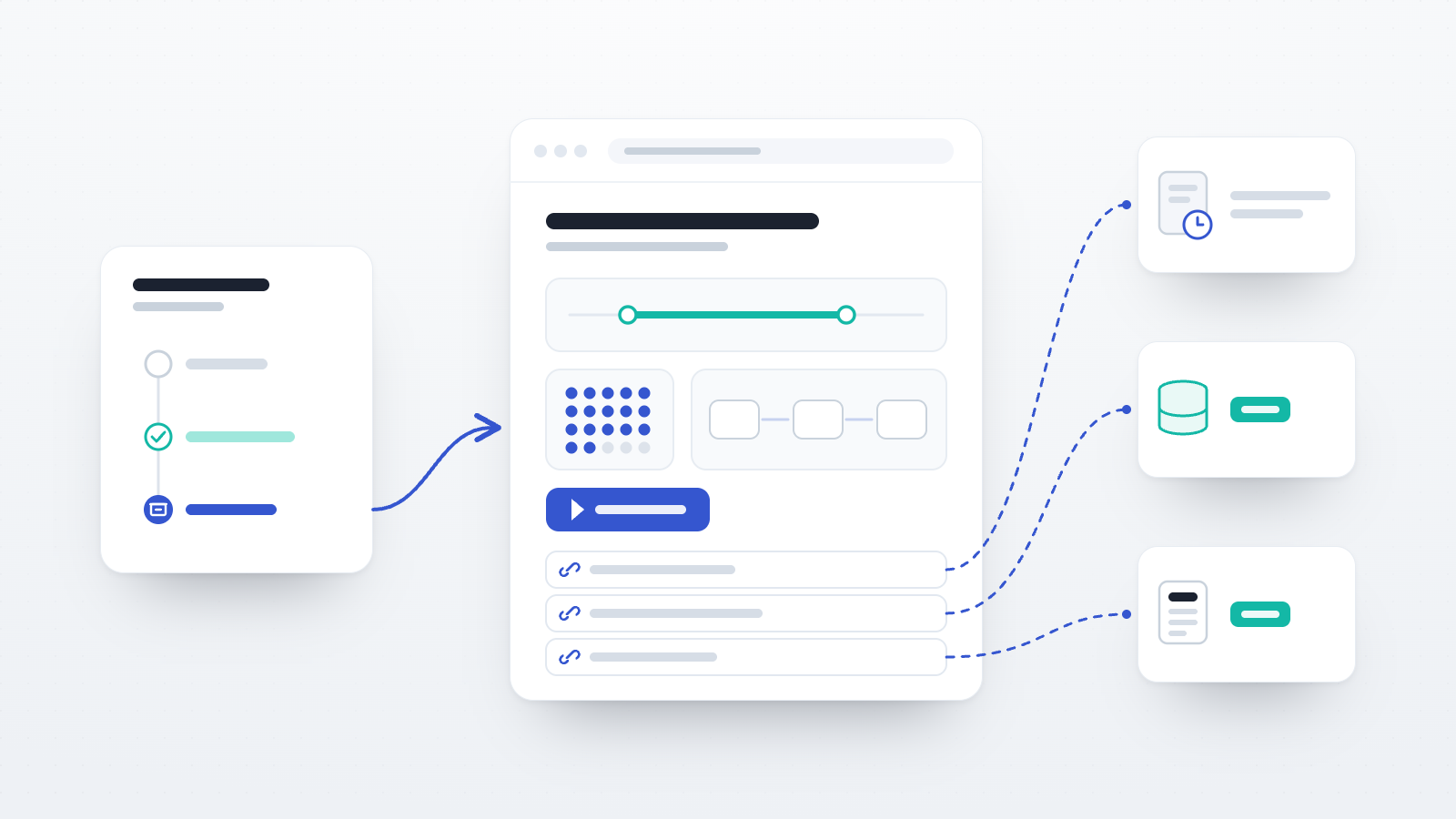
The page shows the title, description, authors, the data-collection dates, the number of completed sessions, the steps of the study, the record links and a suggested citation. It never shows participant data, datasets or the study's join link.
The dialog has three settings:
- Authors (required). Names are typed by hand and shown as typed, separated by semicolons. They are not linked to Open Lab accounts.
- Let visitors try the study (off by default). This adds a Try the study button that runs the study in demo mode, and nothing visitors enter is saved. Redirect steps are skipped, group codes are drawn at random, and each task runs the version it had when the page was published. Older tasks without saved revisions run their current file. The demo's own address expires after ten minutes, so the address to share is that of the record page.
- Let search engines index the page (on by default). The page carries the metadata tags read by Google Scholar and reference managers. With this setting off, the page asks search engines not to index it and remains reachable through its address.
The title, description, step names and consent text were written for other readers, so they should be read again before the page goes public:
- The title and description appear as they stand in the study. Both can be edited while the study is archived.
- Step titles and branch names appear in the study flow, so a working label for a condition becomes public. These are part of the read-only flow, and changing one means reopening the study, editing it, archiving it again and then publishing.
- With the demo on, visitors see the consent and ending texts and the contact details. Redirect targets are not published, but a completion code typed into an ending page would be visible.
- With the demo on, visitors can also see all stimuli and questionnaire items. Some licensed stimulus sets and instruments restrict public display, and a planned follow-up study may need its items to stay unseen by potential participants.
How to read the dates and the session count
The figures on the page are calculated from the study's participant records at the time of publication, leaving out records that have been removed. The first date is the earliest enrolment, the second is the latest enrolment or activity, and completed sessions are the records with the status Completed.
Previews, test runs and the study demo create no participant records, so they do not affect these figures. Pilot participants who joined through the real link do affect them, including those who joined while the study was still in Draft. The date range may therefore start before the main data collection, and the count is taken before any exclusions, so it may differ from the analysed sample. The Methods section is the place to report the analysed sample, the exclusions and, if pilots used the same link, the dates of the main data collection. The number of enrolled participants appears on the Archive tab card but not on the public page, so readers will only see it if the paper reports it.
Linking the page from a preregistration, a manuscript and a published article
A record page can only be published for an archived study, so it normally appears after data collection has ended. That determines how it can be used at each stage.
Preregistration. A preregistration is a time-stamped, read-only document posted before data collection (Center for Open Science, n.d.-a), so it cannot contain the address of a page that does not exist yet. The link runs the other way: the preregistration's address goes under the record links, and readers of the record page can compare the registration's timestamp with the first date of data collection. If pilot sessions ran on the same link before registration, the page will show the earlier date, and the paper can explain why. The record page's address can be added to the OSF project that holds the preregistration. OSF describes its registration update function as a way to reflect necessary changes to the study design, so it is not needed for this purpose.
Preprint and manuscript. The page can be cited as soon as it is published, so a preprint or a submitted manuscript can point to a description of the data collection before the article exists. Masked review needs more care. The page names the authors, and a demo shows the consent text and contact details, so a link in the manuscript could identify the authors to reviewers. In that case the page can wait until review is over, and materials can be shared in the meantime through an OSF view-only link with the Anonymize option, which hides contributor names (Center for Open Science, n.d.-b).
After publication. The page is a snapshot: it keeps what it showed when it was published, so later changes to the study or its record links do not appear until the author chooses Update page. Adding the article's DOI therefore takes two steps: add the DOI under record links, then update the page. The address stays the same, and a study that was reopened has to be archived again first. Earlier snapshots are not kept. The update also sets a new published date, so if it falls in a later calendar year, the year in the suggested citation changes and may then differ from the year in a reference that is already in print. Where the exact content of the cited version matters, a PDF of the page can be deposited with the materials.
Citing the record, the data and the platform
A record page describes a data collection. It holds no data and has no DOI, so a paper may need up to three separate references.
The record page. The page gives a suggested citation in this form (the names, title and code here are invented):
Lovelace, A., Turing, A. (2026). Word recognition under time pressure [Study record]. Open Lab. https://research.open-lab.online/records/k7m2qxrt
The names appear as typed in the Authors field, so Lovelace, A.; Turing, A. produces the form above and Ada Lovelace; Alan Turing produces full names. The citation may need adapting to the journal's reference style.
The dataset. The Joint Declaration of Data Citation Principles states that a data citation should include a persistent method of identification that is machine actionable, globally unique and widely used by a community (Data Citation Synthesis Group, 2014; Starr et al., 2015). A DOI from a repository meets this description. Zenodo, for example, issues a DOI for every published record, and a new version of a dataset receives its own DOI, so a citation of one version keeps pointing to the same files (Zenodo, n.d.-a, n.d.-c).
The platform. Open Lab asks users to cite Shevchenko (2022), and tasks built in lab.js can be credited with Henninger et al. (2022).
A Methods paragraph combining these could read as follows (the dates and numbers are invented):
Data were collected on Open Lab (Shevchenko, 2022) between 3 March and 14 April 2026, using a task built with lab.js (Henninger et al., 2022). A record of the data collection, including the study flow and a demo of the task, is available at https://research.open-lab.online/records/k7m2qxrt (Lovelace & Turing, 2026). Of 212 completed sessions, 12 were excluded according to the preregistered criteria, leaving 200 for analysis. Data and analysis code are available at [dataset DOI].
What a record page does not replace
A fixed web address depends on the site and on the person who controls the page. A record page stays online if the author's subscription ends. It goes offline if the author unpublishes it (within about two minutes, although search engines may keep a cached copy for a while) or deletes the study or the account, and Open Lab can remove a page, for example after a copyright complaint about stimuli. Klein et al. (2014) found that one in five science, technology and medicine articles suffered from reference rot, meaning that the web context they cite could no longer be revisited; among articles that contained references to web resources, the figure was seven in ten. Zenodo, by comparison, states that items are retained for the lifetime of the repository (Zenodo, n.d.-b).
For this reason, the data and materials that a paper's claims rely on are better cited through a repository DOI, with the record page as an additional reference that shows how the study ran. Each can point to the other: the repository's DOI goes under the record links, and the record page's address goes in the repository's description.
If your account is on the Free plan
Free accounts cannot archive a study, so they cannot publish a record page. A finished study can be marked Completed, which closes it to new participants and keeps it in the study limit, or deleted after its data have been downloaded. Deleting a study also deletes its data on Open Lab. The other steps in this post do not depend on a plan: reporting the dates in the Methods section, depositing data and materials in a repository, and citing them by DOI. The pricing page lists what each plan includes.
A checklist for closing out a study
- Set the study to Completed and wait until participants in progress have finished.
- Export the data from the study's Data page, and note the dates of the main data collection and of any pilot sessions.
- Check the study's deletion date and Data retention setting.
- Deposit data, analysis code and materials in a repository and obtain a DOI.
- Archive the study.
- Add the preregistration and materials under the record links.
- Reread the title, description, step titles and branch names. If a demo will be offered, also reread the consent and ending texts and contact details, and check the licences of the stimuli.
- Publish the record page, unless the manuscript is going to masked review.
- Cite the record page, the dataset and the platform in the manuscript.
- After publication, add the article's DOI under the record links and choose Update page.
The study management documentation describes each of these features in full.
References
Appelbaum, M., Cooper, H., Kline, R. B., Mayo-Wilson, E., Nezu, A. M., & Rao, S. M. (2018). Journal article reporting standards for quantitative research in psychology: The APA Publications and Communications Board task force report. American Psychologist, 73(1), 3–25. https://doi.org/10.1037/amp0000191
Center for Open Science. (n.d.-a). Welcome to registrations & preregistrations! OSF Support. https://help.osf.io/article/330-welcome-to-registrations
Center for Open Science. (n.d.-b). Welcome to OSF projects [Section: Create a view-only link]. OSF Support. https://help.osf.io/article/353-welcome-to-projects
Chmielewski, M., & Kucker, S. C. (2020). An MTurk crisis? Shifts in data quality and the impact on study results. Social Psychological and Personality Science, 11(4), 464–473. https://doi.org/10.1177/1948550619875149
Data Citation Synthesis Group. (2014). Joint declaration of data citation principles. FORCE11. https://doi.org/10.25490/a97f-egyk
Deutsche Forschungsgemeinschaft. (2025). Guidelines for safeguarding good research practice: Code of conduct (Guideline 17: Archiving). https://doi.org/10.5281/zenodo.14281892
Hardwicke, T. E., Thibault, R. T., Kosie, J. E., Wallach, J. D., Kidwell, M. C., & Ioannidis, J. P. A. (2022). Estimating the prevalence of transparency and reproducibility-related research practices in psychology (2014–2017). Perspectives on Psychological Science, 17(1), 239–251. https://doi.org/10.1177/1745691620979806
Henninger, F., Shevchenko, Y., Mertens, U. K., Kieslich, P. J., & Hilbig, B. E. (2022). lab.js: A free, open, online study builder. Behavior Research Methods, 54(2), 556–573. https://doi.org/10.3758/s13428-019-01283-5
Klein, M., Van de Sompel, H., Sanderson, R., Shankar, H., Balakireva, L., Zhou, K., & Tobin, R. (2014). Scholarly context not found: One in five articles suffers from reference rot. PLOS ONE, 9(12), e115253. https://doi.org/10.1371/journal.pone.0115253
Shevchenko, Y. (2022). Open Lab: A web application for running and sharing online experiments. Behavior Research Methods, 54(6), 3118–3125. https://doi.org/10.3758/s13428-021-01776-2
Starr, J., Castro, E., Crosas, M., Dumontier, M., Downs, R. R., Duerr, R., Haak, L. L., Haendel, M., Herman, I., Hodson, S., Hourclé, J., Kratz, J. E., Lin, J., Nielsen, L. H., Nurnberger, A., Proell, S., Rauber, A., Sacchi, S., Smith, A., Taylor, M., & Clark, T. (2015). Achieving human and machine accessibility of cited data in scholarly publications. PeerJ Computer Science, 1, e1. https://doi.org/10.7717/peerj-cs.1
Zenodo. (n.d.-a). Principles. https://about.zenodo.org/principles/
Zenodo. (n.d.-b). Policies. https://about.zenodo.org/policies/
Zenodo. (n.d.-c). About records. https://help.zenodo.org/docs/deposit/about-records/