Getting Started with the Open Lab Platform
Welcome to the comprehensive documentation for the Open Lab platform! This guide is tailored for Researchers who will design and manage online studies, experiments, and participant data using the web-based researcher portal, as well as Participants who will interact with studies through the Open Lab participant web application. Whether you are conducting academic research, behavioral experiments, or collaborative projects, this documentation will guide you through every step, from account creation to data analysis. For detailed instructions on using the Open Lab participant site, refer to the Participant Guide.
The Open Lab platform empowers researchers to collect rich datasets by combining lab.js tasks with Open Lab's own study-building logic and participant-management system: lab.js provides the interactive tasks and surveys, while Open Lab adds the study flow and logic that ties them together and the tools to recruit and manage participants. With features like study flow customization, collaboration tools, and end-to-end encryption, Open Lab streamlines the research process while ensuring data security and participant privacy. The platform is integrated with lab.js for experiment building (more info at https://lab.js.org/).
Key Features of the Open Lab Platform
The Open Lab platform offers a robust set of tools to support your research needs. Below are the core features that make it a powerful choice for web-based studies:
- Interactive Experiment Building: Design experiments and surveys using lab.js, upload them as JSON files, and customize for your study flow, including randomization for between-subjects designs.
- Collaboration Tools: Create a social network for researchers, present projects, find collaborators, and share access to studies for joint editing.
- End-to-End Encrypted Data Storage: Ensure data security with server-side encryption and GDPR-compliant storage on servers in Germany.
- Flexible Data Export & Exploration: Download your data in multiple formats (CSV, JSON, Excel, SPSS, and more) and query it in the browser with the built-in Data Explorer (/dashboard/analysis) in the researcher portal. See the Data Reports guide for the available export formats.
These features are integrated into a user-friendly interface, making it easy to set up complex studies while maintaining control over data collection and participant management.
Signing Up for a Researcher Account
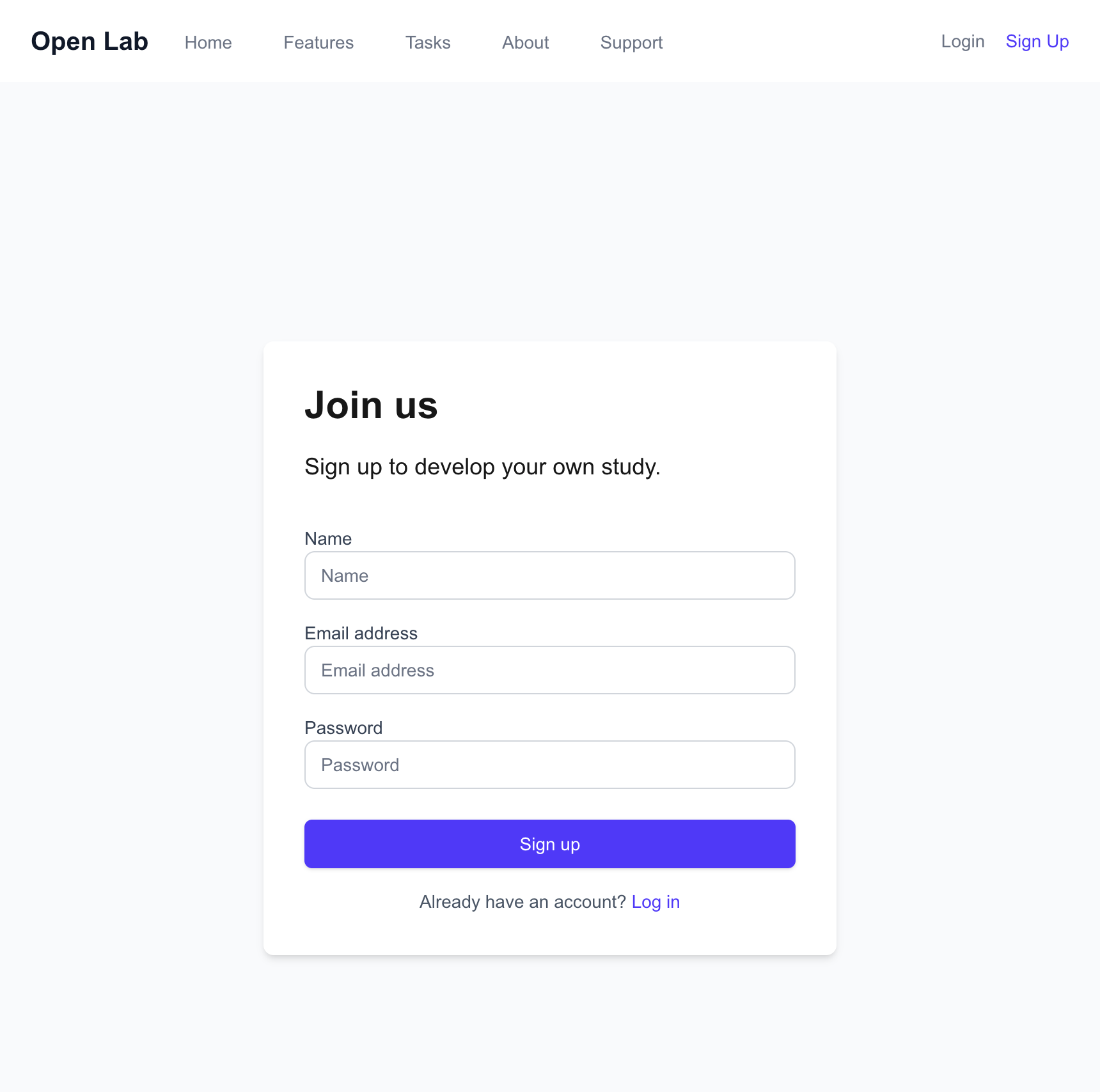
To start using the Open Lab platform, you need to create a researcher account. This account will give you access to the web-based researcher portal, where you can design studies, manage participants, and analyze data.
- Navigate to the signup page at https://research.open-lab.online/signup.
- Fill out the registration form with your name, email address, and a secure password.
- If you are affiliated with an academic institution, use your academic email address (e.g., name@university.edu) for potential benefits.
- Submit the form. For a normal signup, Open Lab creates your account and sends a verification email to the address you provided — open it and click the confirmation link to verify your email address (the link is valid for 24 hours). Accounts created by following a collaboration invitation link are verified automatically and receive no separate confirmation email.
- Save your recovery code. After signing up you are shown a one-time recovery code that protects access to your encrypted data if you ever forget your password. Copy it somewhere safe and confirm it on the same screen to continue. It is shown only once and cannot be retrieved later, so save it before you move on. Once confirmed, you are taken straight to your dashboard.
Troubleshooting Tip: If you encounter errors during signup (e.g., "Email already in use"), ensure you are using a unique email address. If you previously registered, try resetting your password instead.
Exploring the Researcher Dashboard
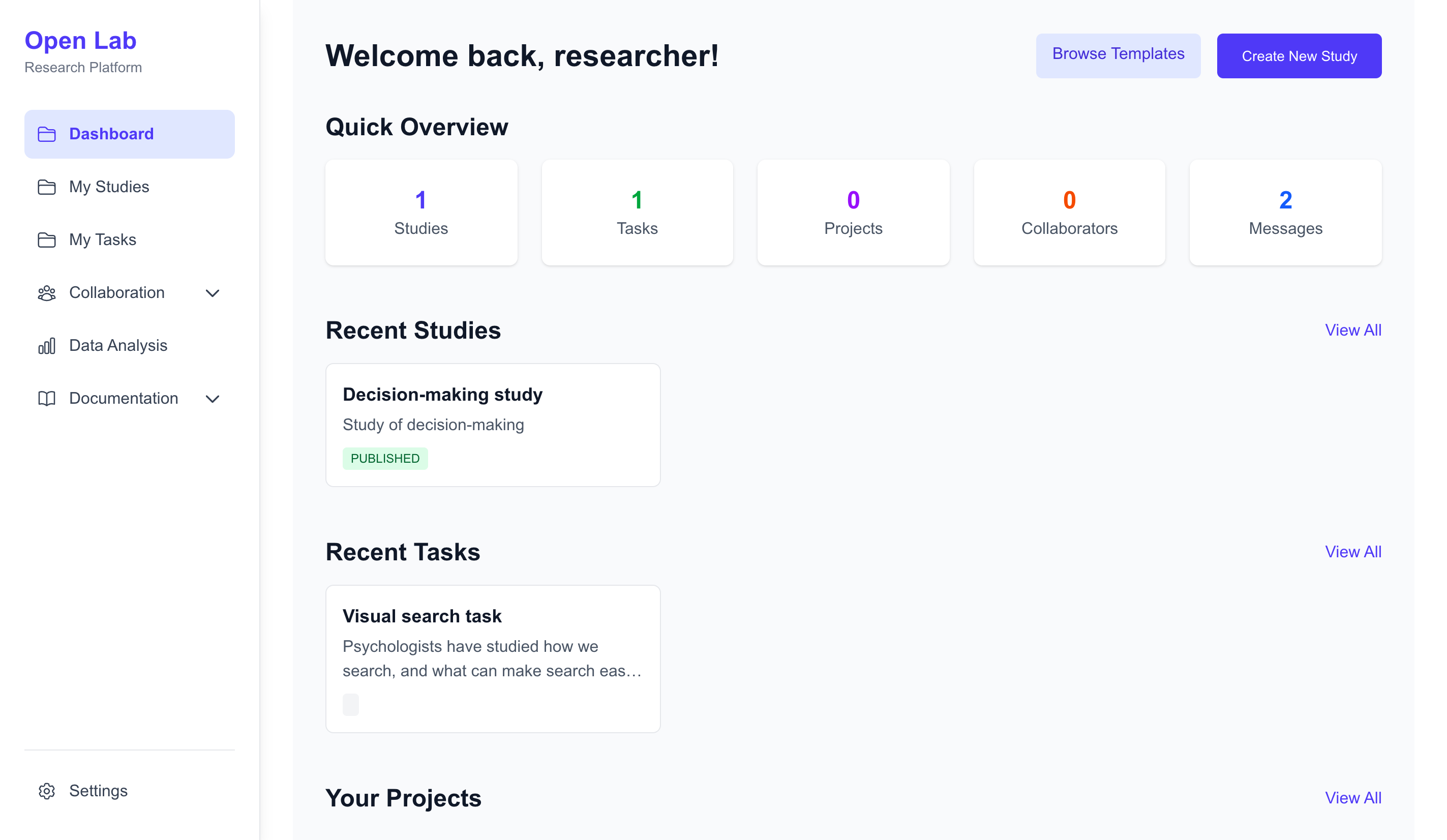
After signing up you are taken straight to the researcher dashboard at https://research.open-lab.online/dashboard. The dashboard serves as your central hub for managing research activities.
The dashboard provides a comprehensive overview of your ongoing and completed studies, along with quick access to your data and analysis tools. It also offers quick-action buttons for common tasks, such as:
- Create a New Study: Start designing a new study from scratch or using a template.
- Browse Public Study Templates: Explore pre-configured study designs shared by other researchers.
- Find Collaborators: Present your projects, search for potential collaborators, and manage invitations.
- Configure Account Settings: Update your profile, change your password, or manage billing information.
Example: Suppose you’re managing multiple studies, such as one on cognitive tasks and another on behavioral surveys. The dashboard lets you view all your active studies at a glance. To analyze results, open a study’s Data view for its built-in charts and summary metrics, or use the Data Explorer to query across all your datasets in one place.
Frequently Asked Questions
Have questions about the Open Lab platform? Visit our dedicated FAQ page for answers to common questions about setting up studies, managing participants, and more.
Next Steps
Now that you’re familiar with the basics, explore the following sections to dive deeper into using the Open Lab platform:
Study Setup
- Study Management: Learn how to create, edit, and publish studies.
- Study Builder: Design study flows, upload lab.js JSON files for tasks and surveys.
- Invitation Management: Manage invitations for participants to join studies.
- Participant Management: Manage participant enrollment and study settings.
- Settings: Manage study settings.
Collaboration
- Projects: Create and manage project cards to describe your research needs.
- Collaborators: Find, invite, and collaborate with other researchers.
Data
- Data Analysis: Build visualizations to analyze study data.
- Data Reports: Generate comprehensive reports from study data.