Many research questions require measuring the same participants more than once. Examples are the test-retest reliability of a cognitive task, recall after a delay, a training study with a pre-test and a post-test, and designs that compare performance before and after a night of sleep. In the laboratory, a second session is an appointment, and the experimenter recognises the participant on arrival. In an online study, each session is a separate visit to a web page, and three practical problems follow. The study has to recognise the returning participant and attach the new data to the earlier data. Some participants will not return, and those who return may differ systematically from those who do not. The interval between sessions has to be chosen and communicated, although each participant decides when to open the link.
Berber et al. (2026) describe these problems from the researcher's side in a paper introducing GABLE, a system for running longitudinal browser experiments with Google Forms, Sheets, Gmail and Apps Script. Without such a system, enrolment, scheduling, reminders, completion tracking and payment are managed by hand, a process the authors call "labor-intensive and error-prone", and a missed or mistimed reminder can lock a participant out of a session that is only open for a limited time. GABLE assigns each participant a study ID, keeps names and email addresses in the researcher's Google account rather than in the task data, and opens each session only after the previous one has been completed and a waiting period has passed. In the two studies the paper reports, each with 20 sessions, a session opened 24 hours after the previous one was completed and stayed open for one to three days. The paper describes lab.js as a builder that exports tasks to hosting platforms such as Open Lab, and lists lab.js among the frameworks GABLE can be combined with.
This post works through the three problems in turn: linking sessions to one participant, planning for and analysing dropout, and choosing the interval between sessions. The final sections show how each part can be set up in Open Lab and what to report.
Each session needs the same participant key
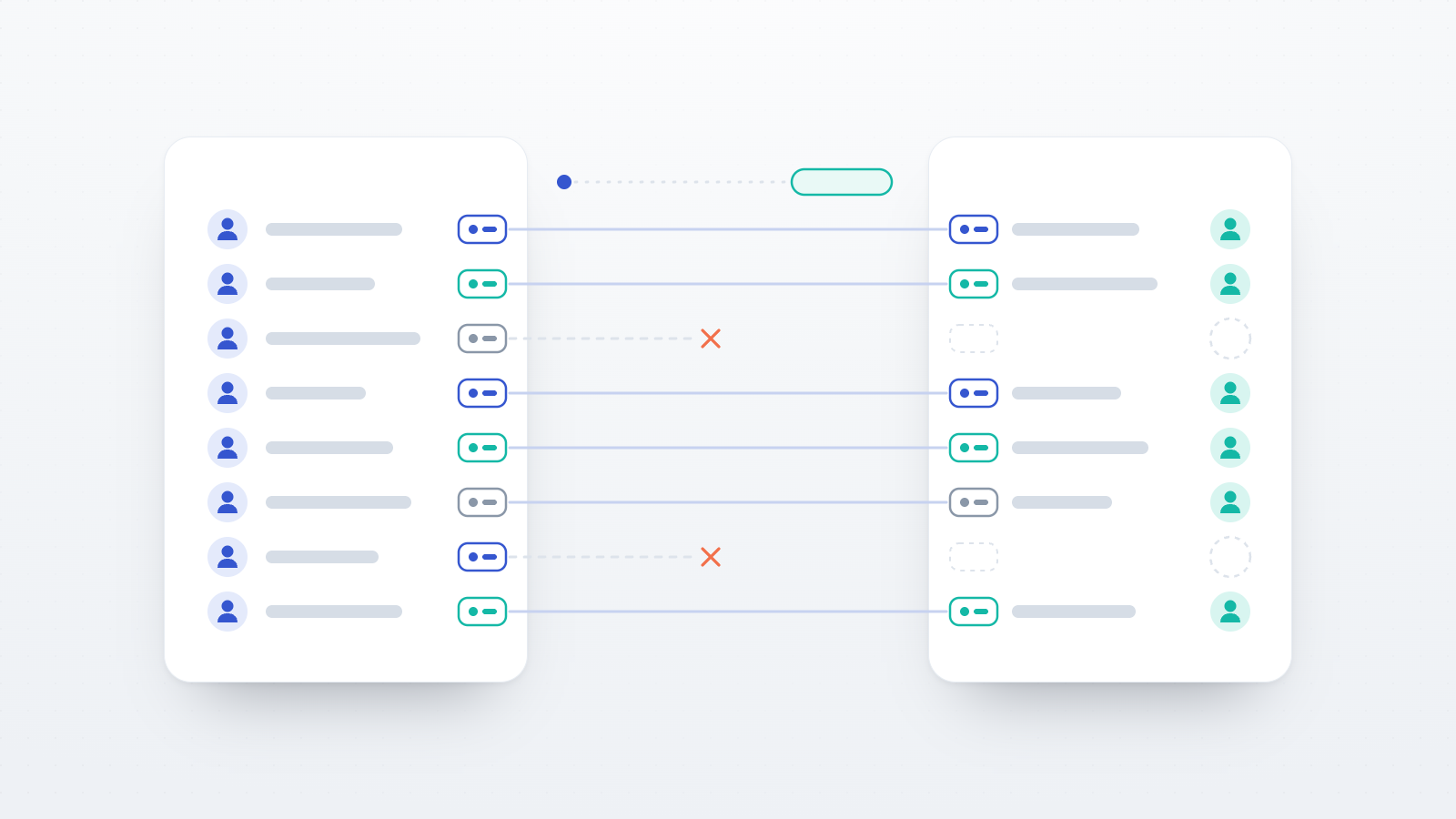
A multi-session dataset is only useful if each participant's sessions can be joined. The join requires a key, a value that is identical in every session of the same participant and different between participants. The key has to exist independently of the participant's browser. Browser storage such as cookies is cleared by some participants, is not shared between a laptop and a phone, and is not kept in private browsing windows. A study that relies on the browser to recognise a returning participant will therefore lose some links, and the losses are more likely among participants who switch devices.
There are four common sources of a key.
Panel identifiers. Participant panels assign each participant a stable identifier and can add it to the study link. On Prolific this is the PROLIFIC_PID, and Prolific's documentation for multi-part studies recommends recording it automatically through a URL parameter rather than asking participants to type it (Prolific, n.d.-b). Because the same participant arrives with the same identifier at every session, the identifier works as the key with no further setup. It only exists for participants recruited through that panel.
Researcher-assigned codes in personal links. The researcher creates a list of codes before the first session (for example P001 to P200) and gives each participant a personal link that carries their code. The same code is then used in that participant's link to the second session. The table that connects codes to email addresses is kept separately from the research data, so the data themselves contain only the code. This is a form of pseudonymisation: the data are still personal data under the GDPR, but the identifying information is held apart from them. The GDPR guide covers what this means for storage and deletion.
Codes that participants enter themselves. When there is no list of participants in advance, participants can be asked to construct a code from stable personal facts, for example the first two letters of their mother's first name and the day of their birth. These self-generated identification codes avoid storing names or email addresses, but participants do not always reproduce their code exactly. In a study in which 135 participants generated a 12-element code twice, eight weeks apart, 40% reproduced all 12 elements, while 91.9% matched on at least 10 (McKibben et al., 2026). Matching that accepts a small number of differences recovers many of these cases. With an eight-item code in a longitudinal survey of adolescents, 95.7% of follow-up surveys could be matched when up to two items were allowed to differ (Ripper et al., 2017), and Schnell et al. (2010) showed that using more code elements together with error-tolerant ("fuzzy") matching reduces the number of participants who cannot be linked.
Participant accounts. If participants sign in to an account on the study platform, the platform can recognise them on any device. This is convenient for studies that recruit from a stable pool of registered participants. It is less suitable for panel samples, whose members usually take part without creating an account on the platform that hosts the study.
Two practical rules follow from these options. The key should be created before the first session, so that the first session's data already contain it. And the key should travel with the link to each session wherever possible, because a value that participants have to remember or retype is a source of mismatches.
Keeping the condition the same in every session
In a between-subjects design with several sessions, the condition is usually assigned in the first session and has to be applied again in every later session. A participant who receives the training condition in session 1 must receive the matching materials in session 2, not a new random draw. This requires the condition to be stored with the participant's key and read again when the participant returns.
How this works depends on how participants reach the second session. With personal links, the condition can be attached to each participant's link to session 2. With a single public link, such as the one study URL that Prolific shows to all participants, the link cannot differ between participants. Prolific's documentation therefore suggests creating a separate follow-up study for each condition, each with its own list of eligible participants (Prolific, n.d.-b). A third option is to design the later sessions so that they do not depend on the condition, for example a retention test that is identical for all groups.
How many participants return
Published retention figures for crowdsourced samples vary with the interval between sessions, the pay and the population. In a five-session experiment on Prolific (N = 1,798), 80% of participants with one week between sessions completed all five sessions, compared with 50% of participants with four weeks between sessions (Gordon & Jones, 2026, a preprint). In a two-part study on Prolific in which the link to the second part was sent within 24 hours, with a reminder every 36 hours and a three-week deadline, attrition ranged from about 23% with higher pay to 44% with lower pay (Ritchey et al., 2023). Over longer intervals, 77% of a Prolific sample completed a follow-up 12 months later, and 62% completed a further follow-up at 19 months (Kothe & Ling, 2019, a preprint). On Mechanical Turk, 75% of one sample responded again after two months (Daly & Nataraajan, 2015), and in an experiment that invited participants back after about six weeks, retention ranged from 18% to 70% across pay conditions (Auer et al., 2021).
Prolific's own documentation for longitudinal studies uses 80% retention as the default in its planning calculator, but advises researchers to set a realistic target for their own study, states that 100% retention is unlikely, and notes that shorter gaps between waves improve retention (Prolific, n.d.-a).
The expected retention rate determines how many participants have to start the study. If the analysis needs 120 participants with complete data and 75% of participants are expected to complete the second session, the first session has to recruit 120 / 0.75 = 160 participants, before any allowance for exclusions on data-quality grounds. With more than two sessions, the retention rates multiply: 85% retention between each of three sessions leaves 0.85 × 0.85 ≈ 72% of the starting sample at session 3.
Dropout is usually not random
Which participants are lost can matter more than how many. Zhou and Fishbach (2016) demonstrated this with dropout within a single online session. In one study, participants imagined applying either eyeliner or aftershave and then reported their body weight. Dropout did not differ significantly between the conditions (32% and 24%), but men were more likely than women to leave the eyeliner condition. The participants who remained in the eyeliner condition reported a lower mean body weight (160 vs. 182 lb), a difference that reflected the different proportions of women in the two remaining groups (42% and 30%), not an effect of the manipulation. The same mechanism applies between sessions. If one condition is more tiring, more boring or less rewarding, the participants who return for session 2 can differ between conditions in ways that random assignment no longer controls.
The missing-data literature distinguishes three situations (Little & Rubin, 2019; Rubin, 1976). Data are missing completely at random when dropout is unrelated to any characteristic of the participant. They are missing at random when dropout depends only on variables that were measured, for example session-1 performance or age. They are missing not at random when dropout depends on the unobserved values themselves, for example when the participants who would have performed poorly in session 2 are the ones who do not return. An analysis restricted to participants who completed every session can be biased unless data are missing completely at random. When data are missing at random, maximum-likelihood methods, such as mixed-effects models fitted to all available sessions, and multiple imputation remain valid, provided the variables that predict dropout are included in the analysis (Graham, 2009). These methods do not correct for data that are missing not at random.
Several steps follow for the design.
- Measure, in the first session, the variables that are likely to predict dropout, such as age, motivation and session-1 performance. These variables are what make a missing-at-random analysis possible. Graham (2009) also recommends asking participants about their intention to drop out.
- Compare participants who returned with those who did not on their session-1 data, separately for each condition.
- Report dropout per condition. Differential dropout, where one condition loses more participants than another, is a sign that the remaining groups may no longer be comparable, and the eyeliner study shows that composition can differ even when dropout rates do not.
- Keep the burden of the conditions similar where the design allows it. A condition that is longer or more unpleasant than the control condition is likely to lose more participants.
Reducing dropout
Some dropout is unavoidable, but several design choices reduce it.
Tell participants about every session at the start. The study description and consent information for session 1 should state that there are further sessions, when they take place, how long each lasts, and how participants are paid for each. Participants who know about the second session in advance can decide at the outset whether they can commit to it. In Zhou and Fishbach's (2016) experiments, warning participants about the study's demands in advance and asking them to complete it reduced dropout within a session from 49% to 21%, although a later two-part study on Prolific found no effect of comparable additional instructions on attrition (Ritchey et al., 2023).
Send reminders. In an analysis of 38 studies in an online panel (N = 246,040), reminders raised the response rate from 49.5% to 65.6%, while the proportion of participants who finished once they had started changed little (98.0% vs. 97.2%; Göritz & Crutzen, 2012). In population cohort studies, reminder letters were associated with an average increase in retention of about 12% (Booker et al., 2011). These studies concern response to a survey or a cohort wave rather than return to an experimental session, but the situation is similar. Ritchey et al. (2023), for example, sent the link to the second part within 24 hours and a reminder every 36 hours until a three-week deadline.
Structure the payment. Evidence on pay is mixed. On Mechanical Turk, higher initial pay and larger raises at the second wave were associated with higher retention (Auer et al., 2021), and on Prolific, doubling the hourly rate reduced attrition in a two-part study (Ritchey et al., 2023). In the five-session Prolific experiment described above, however, neither a higher hourly rate nor a completion bonus had a significant effect on retention, while the interval between sessions did (Gordon & Jones, 2026). Paying each session separately ensures that participants who stop early are paid for the sessions they completed, and a bonus for completing all sessions can be added to this. On Prolific, a participant becomes eligible for the next wave of a longitudinal project only after their submission for the previous wave has been approved. Prolific's documentation advises approving submissions before the next wave opens, because the automatic approval after 21 days may come too late (Prolific, n.d.-a).
Keep the sessions and the interval short. A Cochrane review of trials on questionnaire response found that shorter electronic questionnaires increased response (odds ratio 1.51; Edwards et al., 2023), and a meta-analysis of longitudinal cohort studies found that studies which reduced participant burden retained about 10% more participants (Teague et al., 2018). The interval between sessions also affects retention, as described in the section on how many participants return.
Choosing the interval between sessions
The interval between sessions is a design parameter with consequences for what the study measures. It should be set by the research question and then weighed against the dropout that longer intervals cause.
In research on learning and memory, the interval can be the manipulation itself. In a study of more than 1,350 participants, the gap between two study sessions that produced the best final test performance increased with the delay to the final test. As a proportion of the test delay, the optimal gap fell from about 20–40% for a one-week test delay to about 5–10% for a one-year test delay (Cepeda et al., 2008). A study of spacing or forgetting therefore needs the interval to be controlled as closely as possible. In studies of sleep and memory consolidation, whether a night of sleep falls between sessions is the variable of interest (Diekelmann & Born, 2010), so the time of day of each session has to be fixed as well as the interval.
In reliability studies, the interval determines what the retest correlation measures. Hedge et al. (2018) tested participants on seven classic cognitive tasks, including the Stroop, flanker and stop-signal tasks, in two sessions three weeks apart and at the same time of day, and found test-retest reliabilities ranging from 0 to .82. Repeated testing also changes performance. In a meta-analysis of 36 studies, response times in mental-speed tests fell by about 0.24 standard deviations from the first to the second administration and by about 0.50 standard deviations by the fourth (Scharfen et al., 2018). Practice effects of this kind are expected in any design that repeats a task, so a design that compares conditions across sessions needs a control group that also completes every session.
Because participants choose when to open a link, the planned interval and the actual interval will differ. A practical approach is to define a window in advance, for example "session 2 opens 7 days after session 1 and stays open for 48 hours", and to state in the preregistration how sessions outside the window are handled: excluded, or included with the actual interval as a covariate. The actual interval can be computed for every participant from the completion times of the two sessions and should be reported as a distribution (median and range) in addition to the planned value.
Setting up a multi-session study in Open Lab
Open Lab supports two structures. In the first, each session is its own study. In the second, participants take the same study several times.
One study per session
This is the more flexible structure, because each session can contain different tasks, consent text and debriefing. The session-1 study is built as usual. The session-2 study can be built separately or created by cloning the session-1 study (study cloning is available from the Basic plan) and replacing the tasks.
How sessions are linked depends on how participants are recruited.
- Panel participants. The panel identifier is appended to both studies' links, as described in the post on invitation types and panels. Open Lab stores the parameter with the participant record, shows it as a column on the study's Participants page, includes it in the data export, and passes it to the lab.js task as
this.parameters.PROLIFIC_PID. The second session is set up on the panel's side, for example as a later wave of a Prolific longitudinal project or as a separate Prolific study restricted to the session-1 participants. - Participants from your own lists. The Direct invitations tab under Invitations accepts a CSV list in the format
participantCode,groupCode,email. Each row becomes an invitation with its own personal link, and the participant code is saved with the participant record when the link is opened. To link sessions, the same participant codes are uploaded to the session-1 study and to the session-2 study. Invitations can be emailed from Open Lab with an[INVITATION_LINK]placeholder in the message (Pro plan and above), or each personal link can be copied into another mailing tool. The number of custom invitations per study depends on the plan: 10 on Free, 1,000 on Basic, and unlimited from Pro. - Participants without a list in advance. On the study's landing page, the participant-code setting can be changed from generating a random code to Let participant enter their participant code, with instructions written by the researcher, for example how to construct a self-generated code. The entered code is saved as the participant code. Because typed codes are error-prone, as described above, codes from the two sessions may need error-tolerant matching.
Direct invitations also address the condition problem described earlier. If the session-2 invitations carry each participant's group code from session 1, the group code is saved with the participant record from the start. The landing page keeps that code instead of assigning a new one, and the lab.js task reads it as openlab_group_code, as in the between-subjects randomization post. Session-1 group codes can be read from the Participants page or the export. A group code cannot be set by adding openlab_group_code to a public link: Open Lab ignores link parameters that begin with openlab_, because participants can edit their own URL and must not be able to choose their condition.
Two further settings help with timing.
- Scheduled follow-up emails (Pro plan and above). Under Study settings → Follow-up, a study can send each participant one follow-up email a set number of days (between 1 and 365) after they completed it, with a message written by the researcher. The email reaches only participants who took part while signed in to an Open Lab participant account with an email address, and who have not switched follow-up emails off. Participants who took part without an account, which includes most participants from recruitment panels, are not emailed, and the Follow-up tab shows how many of the study's completed participants the email can reach. The setting Study the email links to decides where the email's button leads: to this study, or to another study by the same author or in the same project, such as the session-2 study. When the button leads to another study, the link also carries the participant's code from this study as the parameter
source_participant_code. The code is saved with the participant in the session-2 study and appears among its custom parameters on the Participants page and in its data export, so the two sessions can be matched. Linking back to the same study is useful only when Allow multiple participation is on (see the next section); otherwise the button opens the Open Lab participant app. - Scheduling (Basic plan and above). Under Study settings → Scheduling, a study can be opened and closed automatically at set times. This is useful when a group of participants completes session 1 in the same period and session 2 should open for all of them at once, for example one week later for 48 hours.
One study taken several times
When every session runs the same procedure, for example a retest with an identical task or repeated practice sessions, a single study can be taken several times. In the Study Builder's Participant management panel, Allow multiple participation is off by default. When it is on, a participant who has finished the study can start it again, and each completed run is counted. If Generate completion code is also on and an Ending page is set to show the code, two further settings can require a minimum number of completed runs and a minimum number of hours since first participation before the code is shown. For example, a two-session retest with at least a day between sessions can show the code only after two completed runs and 24 hours.
These conditions control when the completion code appears, not when a participant can start the next run. A participant can start the second run earlier than planned, so the actual interval should be checked in the data. The returning participant is recognised by their participant account if they are signed in, on any device. A participant without an account is recognised only in the same browser, so this structure should be combined with a participant code or a panel identifier, as described above.
Combining the sessions for analysis
The Data Explorer can load several studies at once into a single table of trial events. Alongside the task's own columns, the table contains metadata columns that include _study_title, _participant_code, _group_code and _completed_at, so the sessions can be joined or compared per participant in the visual query builder or in SQL, and the interval between sessions can be computed from the completion times. The Data Explorer post describes the tool in more detail. Two limits apply. The Explorer loads only non-encrypted datasets, so end-to-end encrypted data must first be decrypted in the study's Data view. The number of rows it loads depends on the plan: 1,000 on Free, 5,000 on Basic, and the full dataset from Pro. Panel identifiers and the source_participant_code added by follow-up emails are link parameters. They are available in the Participants table and the data export rather than in the Explorer's metadata columns.
What to report
A methods section for a multi-session online study can report the following.
- How sessions were linked to participants: panel identifier, researcher-assigned code, participant-generated code, or account.
- How participants were invited to each later session, and how many reminders were sent and when.
- The planned interval and window, and the achieved interval as a median and range.
- The number of participants who started session 1 and who completed each later session, by condition, preferably as a flow diagram.
- How participants were paid for each session, including any completion bonus.
- How participants with missing sessions were handled in the analysis, and how participants who returned compared with those who did not on session-1 variables.
References
Auer, E. M., Behrend, T. S., Collmus, A. B., Landers, R. N., & Miles, A. F. (2021). Pay for performance, satisfaction and retention in longitudinal crowdsourced research. PLOS ONE, 16(1), e0245460. https://doi.org/10.1371/journal.pone.0245460
Berber, I., Kas, I., Sepuri, T., Macnamara, B. N., Çavuşoğlu, M. C., Wilson-Delfosse, A. L., Krupinski, E. A., Smith, P. J., & Ray, S. (2026). Introducing GABLE: Lightweight infrastructure for longitudinal experiments using Google Apps Script. Behavior Research Methods, 58(11), Article 327. https://doi.org/10.3758/s13428-026-03205-8
Booker, C. L., Harding, S., & Benzeval, M. (2011). A systematic review of the effect of retention methods in population-based cohort studies. BMC Public Health, 11, Article 249. https://doi.org/10.1186/1471-2458-11-249
Cepeda, N. J., Vul, E., Rohrer, D., Wixted, J. T., & Pashler, H. (2008). Spacing effects in learning: A temporal ridgeline of optimal retention. Psychological Science, 19(11), 1095–1102. https://doi.org/10.1111/j.1467-9280.2008.02209.x
Daly, T. M., & Nataraajan, R. (2015). Swapping bricks for clicks: Crowdsourcing longitudinal data on Amazon Turk. Journal of Business Research, 68(12), 2603–2609. https://doi.org/10.1016/j.jbusres.2015.05.001
Diekelmann, S., & Born, J. (2010). The memory function of sleep. Nature Reviews Neuroscience, 11(2), 114–126. https://doi.org/10.1038/nrn2762
Edwards, P. J., Roberts, I., Clarke, M. J., DiGuiseppi, C., Woolf, B., & Perkins, C. (2023). Methods to increase response to postal and electronic questionnaires. Cochrane Database of Systematic Reviews, 2023(11), Article MR000008. https://doi.org/10.1002/14651858.MR000008.pub5
Gordon, A., & Jones, S. (2026). Intervals, incentives, and individual habits: What drives retention in online longitudinal studies? [Preprint]. PsyArXiv. https://doi.org/10.31234/osf.io/gchd7_v1
Göritz, A. S., & Crutzen, R. (2012). Reminders in web-based data collection: Increasing response at the price of retention? American Journal of Evaluation, 33(2), 240–250. https://doi.org/10.1177/1098214011421956
Graham, J. W. (2009). Missing data analysis: Making it work in the real world. Annual Review of Psychology, 60, 549–576. https://doi.org/10.1146/annurev.psych.58.110405.085530
Hedge, C., Powell, G., & Sumner, P. (2018). The reliability paradox: Why robust cognitive tasks do not produce reliable individual differences. Behavior Research Methods, 50(3), 1166–1186. https://doi.org/10.3758/s13428-017-0935-1
Kothe, E. J., & Ling, M. (2019). Retention of participants recruited to a multi-year longitudinal study via Prolific [Preprint]. PsyArXiv. https://doi.org/10.31234/osf.io/5yv2u
Little, R. J. A., & Rubin, D. B. (2019). Statistical analysis with missing data (3rd ed.). Wiley. https://doi.org/10.1002/9781119482260
McKibben, J. B. A., Bucklin, K., & Salafia, J. (2026). The anonymous collection of longitudinal data: An evaluation of self-generated identification codes and methodological challenges. Educational and Psychological Measurement. Advance online publication. https://doi.org/10.1177/00131644261453059
Prolific. (n.d.-a). How to run longitudinal studies. Prolific Researcher Help Centre. Retrieved October 26, 2026, from https://researcher-help.prolific.com/en/articles/634040-how-to-run-longitudinal-studies
Prolific. (n.d.-b). Longitudinal or multi-part studies. Prolific Developer Documentation. Retrieved October 26, 2026, from https://docs.prolific.com/documentation/cookbooks/longitudinal-or-multi-part-studies
Ripper, L., Ciaravino, S., Jones, K., Jaime, M. C. D., & Miller, E. (2017). Use of a respondent-generated personal code for matching anonymous adolescent surveys in longitudinal studies. Journal of Adolescent Health, 60(6), 751–753. https://doi.org/10.1016/j.jadohealth.2017.01.003
Ritchey, C. M., Jimenez-Gomez, C., & Podlesnik, C. A. (2023). Effects of pay rate and instructions on attrition in crowdsourcing research. PLOS ONE, 18(10), e0292372. https://doi.org/10.1371/journal.pone.0292372
Rubin, D. B. (1976). Inference and missing data. Biometrika, 63(3), 581–592. https://doi.org/10.1093/biomet/63.3.581
Scharfen, J., Blum, D., & Holling, H. (2018). Response time reduction due to retesting in mental speed tests: A meta-analysis. Journal of Intelligence, 6(1), Article 6. https://doi.org/10.3390/jintelligence6010006
Schnell, R., Bachteler, T., & Reiher, J. (2010). Improving the use of self-generated identification codes. Evaluation Review, 34(5), 391–418. https://doi.org/10.1177/0193841X10387576
Teague, S., Youssef, G. J., Macdonald, J. A., Sciberras, E., Shatte, A., Fuller-Tyszkiewicz, M., Greenwood, C., McIntosh, J., Olsson, C. A., Hutchinson, D., & the SEED Lifecourse Sciences Theme. (2018). Retention strategies in longitudinal cohort studies: A systematic review and meta-analysis. BMC Medical Research Methodology, 18, Article 151. https://doi.org/10.1186/s12874-018-0586-7
Zhou, H., & Fishbach, A. (2016). The pitfall of experimenting on the web: How unattended selective attrition leads to surprising (yet false) research conclusions. Journal of Personality and Social Psychology, 111(4), 493–504. https://doi.org/10.1037/pspa0000056