Moving a Stroop task, a flanker task, or a lexical decision experiment from the lab to a browser raises an obvious question: how much timing precision does the browser cost you? The answer involves two separate quantities rather than one, and they affect experimental results in different ways. Separating them is what makes the rest of the question tractable.
This is a well-measured area. Several research groups have connected real browsers to external measurement equipment — photodiodes that detect when the screen actually changes, robot actuators that press real keys, dedicated timing hardware — and recorded what happens between a stimulus request and a logged response. All the figures below come from that work. Taken together, they support a reasonably specific conclusion: browsers measure absolute latencies poorly and differences between conditions well.
Lag and noise are separate problems
Two quantities are usually bundled together under the word "timing".
Accuracy is how far a recorded response time sits from the true value on average. In browsers this appears as a roughly constant lag, so every response is recorded as slower than it actually was.
Precision is how much that lag varies — between trials, between devices, and between browsers. This is measurement noise.
The distinction matters because a constant lag largely cancels out when you compare two conditions within the same participant, whereas noise does not.
Anwyl-Irvine, Dalmaijer, Hodges and Evershed (2021) measured both quantities using a robot actuator to press ordinary consumer keyboards on real machines. Across four browser-based experiment packages, mean response-time lag ranged from about 71 to 87 ms: lab.js 71.33 ms (SD 28.16), Gorilla 78.53 ms (SD 8.25), psychoJS 82.28 ms (SD 16.36) and jsPsych 87.40 ms (SD 15.27). No package performed best on both measures — lab.js recorded the smallest mean lag but the widest spread, and Gorilla the tightest spread.
Pronk, Wiers, Molenkamp and Murre (2020) extended the comparison across device classes and found a wider range once phones and tablets were included. Mean response-time overestimation ranged from 57.6 ms (Safari on iOS) to 132.9 ms (Safari on macOS), with trial-to-trial standard deviations from 1.7 ms (Chrome on Windows) to 16.1 ms (Firefox on macOS).
Bridges, Pitiot, MacAskill and Peirce (2020) measured the same software layer using a high-performance button box instead of a consumer keyboard, which removes most of the ordinary input hardware from the measurement. Under those conditions, "most of the packages achieved precision at least under 10 ms in all browsers", and PsychoPy achieved under 3.5 ms.
Read together, these results indicate where the delay originates. The JavaScript timing layer is capable of single-digit-millisecond precision, and the 70–130 ms observed in realistic setups comes mostly from the display and input hardware surrounding it. Anwyl-Irvine et al. also report that the choice of experiment platform contributed more variance than the device did in their tests, so the software layer contributes as well, but it is not the main source of the lag.
Where the delay comes from
Following the sequence from stimulus request to recorded keypress shows where each contribution enters.
Drawing to the screen. A browser cannot paint at an arbitrary moment; it paints on the display's refresh cycle. Most consumer displays refresh at 60 Hz, so the smallest available unit of stimulus duration is one frame, approximately 16.7 ms. A 60 Hz display cannot present a 10 ms stimulus at all: it will show either nothing or one full frame. Anwyl-Irvine et al. measured display-duration error of 9.79 ms (SD 4.69) for lab.js, 13.44 ms (SD 15.41) for Gorilla, −6.24 ms (SD 12.99) for psychoJS and 26.02 ms (SD 17.40) for jsPsych. Browser and operating system mattered as much as the package: Chrome averaged 11.50 ms of error against Safari's 30.02 ms, and Windows 12.43 ms against macOS's 25.45 ms.
The display hardware adds its own processing and pixel-response delay, which the software cannot observe.
The keypress passes through key debounce, USB or Bluetooth input polling, and the operating system's input queue before JavaScript receives it. This is the largest and most variable contribution. Anwyl-Irvine et al. found that even keyboard type affected the result, with external desktop keyboards registering a few milliseconds faster than integrated laptop keyboards.
The clock. Browsers reduced the resolution of their high-resolution timers after the Spectre
vulnerabilities of 2018, because very precise timers can be used to read hardware side channels.
Chrome clamps performance.now() to 100 microseconds and Firefox rounds to 1 millisecond. This is
worth knowing, but it is not a practical constraint: 1 ms of clock granularity is small compared with
20 ms of variation in the input hardware.
The network is not part of this sequence. Response times in browser-based experiments are recorded in the participant's own browser rather than on a server, so connection speed does not affect the response-time measurement. It does affect whether images and sounds have finished loading before a trial begins, which is why preloading matters more than bandwidth.
Why a constant lag usually does not affect the result
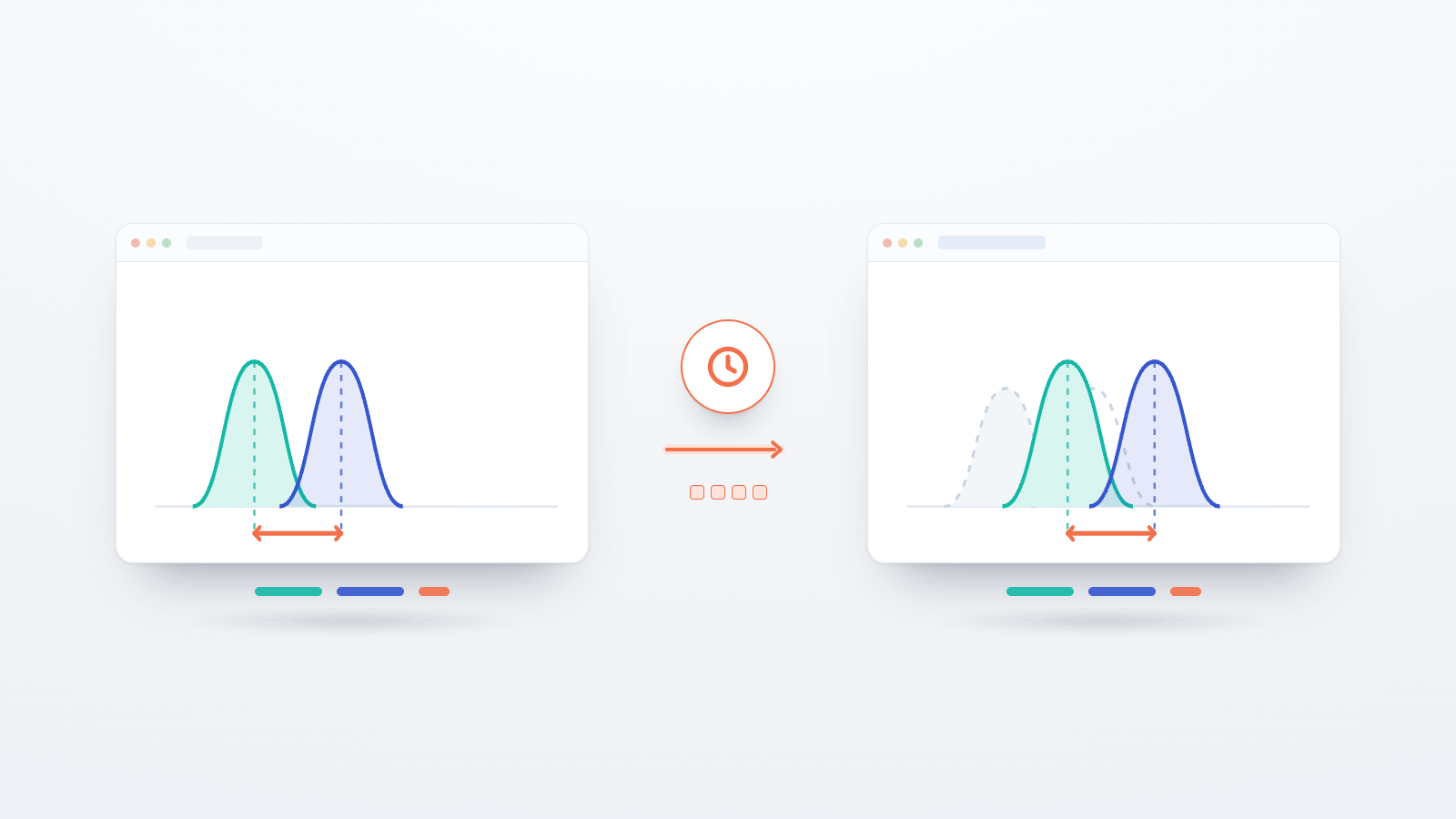
Most of the delay described above is approximately constant within a session. A setup that adds 75 ms to one trial adds roughly 75 ms to the next, so it adds the same amount to congruent and incongruent trials. A Stroop effect, which is the difference between the two, is therefore largely unaffected.
This has been tested directly. de Leeuw and Motz (2016) ran a visual search task simultaneously in JavaScript and in Psychophysics Toolbox, interleaving trials across two machines. JavaScript response times were about 25 ms longer, there was no reliable difference in the variability of the two distributions, and both systems were equally sensitive to the experimental manipulation. Semmelmann and Weigelt (2017) replicated five classic paradigms — Stroop, flanker, visual search, masked priming and attentional blink — in a traditional lab, in the lab using web technology, and fully remotely. They measured offsets of approximately 37 ms for the web technology and 87 ms for remote participation, found that most effects replicated, and found error rates consistent across settings.
Pronk et al. (2020) quantified what the remaining noise costs. In their simulations, device noise reduced the reliability of a relative response-time measure — a within-participant difference between conditions — by at most .012. For absolute response times, the same device noise reduced reliability by an average of .19, .21 and .12, depending on the assumed spread of the underlying trait. The devices and the noise were identical in both cases, so the difference in cost follows entirely from whether the dependent variable is a difference or a level.
This supports the most useful single design rule for online timing work: make the quantity you analyse a within-participant difference wherever the design allows. Anwyl-Irvine et al. reach the same conclusion, recommending within-participant designs so that comparisons need not be made across participants, and restricting the participant's setup when timing is critical.
When browser timing is a real limitation
There are five situations in which these constraints affect the result rather than only its precision.
Absolute response times as the finding. A claim resting on the raw latency itself — a normative value, a comparison against a published lab benchmark, a clinical cut-off — inherits a device-dependent offset spanning at least 75 ms between common setups. Between-subjects designs are affected in a related way: different participants are in different conditions and also on different hardware, so while random assignment keeps device noise unbiased, that noise still enters the error term and reduces power.
Individual differences. Here the browser adds to a problem that already exists. Hedge, Powell and Sumner (2018) described the "reliability paradox": tasks producing the most robust group-level effects do so because between-person variability is low, and low between-person variability is also what makes them poor measures of individual differences. Measurement noise adds directly to that denominator. A study correlating a task score with another variable therefore needs considerably more trials than a group-difference study, and lab-derived reliability estimates should be treated as an upper bound.
Very brief or precisely timed stimuli. Pronk et al. found that the majority of requested three-frame intervals were presented for only a single frame on macOS Chrome and macOS Safari. Designs built on short stimulus-onset asynchronies — the interval between a prime and a target — require a resolution the display pipeline may not deliver, and the safe assumption is that it does not until it has been measured on the intended hardware.
One qualification prevents a common misreading here. Masked priming was the paradigm in Semmelmann and Weigelt's set that failed to replicate, but it failed in all three of their settings, including the traditional lab. That makes it a paradigm-level null rather than evidence about browser timing. Online timing is a genuine constraint, and it is also an easy explanation to reach for when an effect does not appear; the two are worth keeping separate.
Audio-visual synchrony. Bridges et al. found "considerable variability between OS/browser combinations, especially in audio-visual synchrony which is the least precise aspect of the browser-based experiments". Their measured audio-visual lag ranged from −30.61 ms to 285.81 ms across the package, operating-system and browser combinations tested, with inter-trial variability between 1.12 ms and 40.42 ms. That is a spread of more than 300 ms in when a sound arrives relative to an image, depending on the participant's setup. Paradigms that depend on the two arriving together are the least suitable for browser delivery.
Effects of a few milliseconds. A predicted difference of 5–10 ms is comparable in size to the measurement noise itself. Anwyl-Irvine et al. state the practical boundary: "All platforms are reasonably accurate and reliable for studies not needing < 100 ms reaction time accuracy or < 2 frames presentation accuracy."
A further consequence applies to model fitting. In evidence-accumulation models such as the drift-diffusion model, response time is decomposed into a decision component and a non-decision time representing perceptual and motor overhead. A device-specific lag of 80 ms is absorbed into that non-decision-time parameter and inflates it. Group comparisons of drift rate remain interpretable, but absolute non-decision-time estimates do not transfer across setups.
Design choices that reduce the cost
Most of the available improvement comes from design decisions rather than from the choice of platform.
- Analyse within-participant contrasts wherever the design allows.
- Round stimulus durations to whole frames and keep them well above one frame. At 60 Hz, request multiples of approximately 16.7 ms and prefer durations of 100 ms or more. A design that requires a 33 ms prime should state this in the methods and validate it rather than assume it.
- Recruit more participants and run fewer trials each. Miller (2023) found that for most effects, and for a fixed total number of trials, statistical power is higher with many participants doing few trials than with few participants doing many. Baker and colleagues (2021) present the same trade-off as "power contours" that can be read at the design stage. This is directly useful online, because participant numbers are the easier quantity to increase there. Individual-difference studies are the exception, since per-participant reliability is the limiting factor and trials cannot be traded away.
- Optimise the task. lab.js's timing guidance recommends canvas-based screens rather than HTML for fast-paced stimuli, because they can be prepared in advance and avoid layout computation during the trial; placing frames around performance-critical sections so that only the relevant part of the page changes; and unrolling loops so that timing-critical transitions do not occur between loop iterations.
- Record the variables you cannot control. lab.js's metadata plugin writes a
metacolumn containing the browser user-agent string, the operating system as reported by the browser, language settings, viewport dimensions and the device pixel ratio. That column travels with the data, so you can test whether an effect survives excluding touchscreen devices, and report the device composition of the sample in the methods section. - Restrict the setup where the paradigm requires it. Screen for device class at recruitment, or run the timing-critical condition on hardware you control.
- Validate your own study. As Bridges et al. put it, "We stress the importance of scientists making their own timing validation measurements for their own stimuli and computer configuration." Published benchmarks establish what is achievable, not what a particular task achieves.
What Open Lab provides
Open Lab does not alter any of the constraints above, since the task runs in lab.js in the participant's browser. What it provides is a way to exercise the parts of the problem that are under your control.
Piloting on real devices. The Study Builder's Preview and the participant-facing demo mode run the complete flow as a participant would experience it, so a task can be tested on the range of hardware you expect before recruitment begins. This does not replace external timing validation, but it identifies clear failures such as a stimulus that does not appear on a phone, or a response key absent from a laptop keyboard layout.
Controlled hardware where it is required. For paradigms in which browser variance is disqualifying, box / kiosk mode runs the study on a single shared device such as a lab machine or tablet, treating each session as a new anonymous participant without clearing browsing data or signing out between people. The same lab.js task and study configuration can serve both a hardware-controlled in-person sample and a remote one, so running both becomes a design decision rather than a rebuild.
Examining distributions rather than means. Each study's Data view provides live charts and summary metrics as sessions arrive, and the Data Explorer, an in-browser query workspace over the combined data, allows trial-level data to be examined before an analysis is fixed. Timing problems are usually visible in the shape of a response-time distribution before they affect a mean, and the device metadata column can be used to split the data.
Applying exclusions consistently. The Data Quality Centre screens completion times and response
patterns, including fast responders and straight-lining, and allows a participant to be marked Flagged
or Excluded. Excluding a participant sets includeInAnalysis = false across their datasets, so the
decision propagates to exports and analysis views, and a downloadable exclusion log records each
decision. This makes it practical to preregister an exclusion rule, apply it in one place, and keep
the record with the paper.
Summary
Browser-based response-time measurement adds tens of milliseconds of lag and single- to low-double-digit milliseconds of trial-to-trial noise, varying with browser, operating system and input hardware, and it cannot present stimuli shorter than one display frame. No published measurement suggests otherwise.
The same measurements show that classic effects such as Stroop, flanker, visual search and attentional blink transfer to the browser, because they are differences between conditions and the error is largely constant across those conditions.
The practical question is therefore not whether a browser matches a lab machine, but whether the quantity you intend to report is one that browser error can affect. A within-participant contrast of several tens of milliseconds is largely unaffected: the noise does not disappear, but it applies equally to both conditions, so the cost is statistical power rather than the effect itself. An absolute latency, a cross-device individual-difference score, or anything depending on cross-modal alignment is affected directly. Establishing which case applies is worth doing before recruitment rather than after.