Most methodological writing about online experiments frames the choice as a binary: the controlled laboratory, where an experimenter watches a participant work through a task on a known machine, versus the open web, where an anonymous, unsupervised participant runs your study on some device you will never see. A large literature has grown up around that contrast.
But a lot of real data collection happens in a third setting that fits neither box cleanly: one shared device, many participants, in person. A tablet at a conference booth. A laptop at a science-festival stand. A dedicated station in a university foyer, a museum, or a waiting room, where people walk up, take part, and hand the device to the next person. This is supervised like the lab, but it is browser-based and walk-up like the web — and the person running it wants the throughput of a public stand without re-configuring the machine between every participant.
Open Lab supports this directly through Box / kiosk mode. This post explains what that mode does, then works through what the methods literature does — and does not — support about collecting good data this way, and turns that into concrete, sourced recommendations.
What Box / kiosk mode actually is in Open Lab
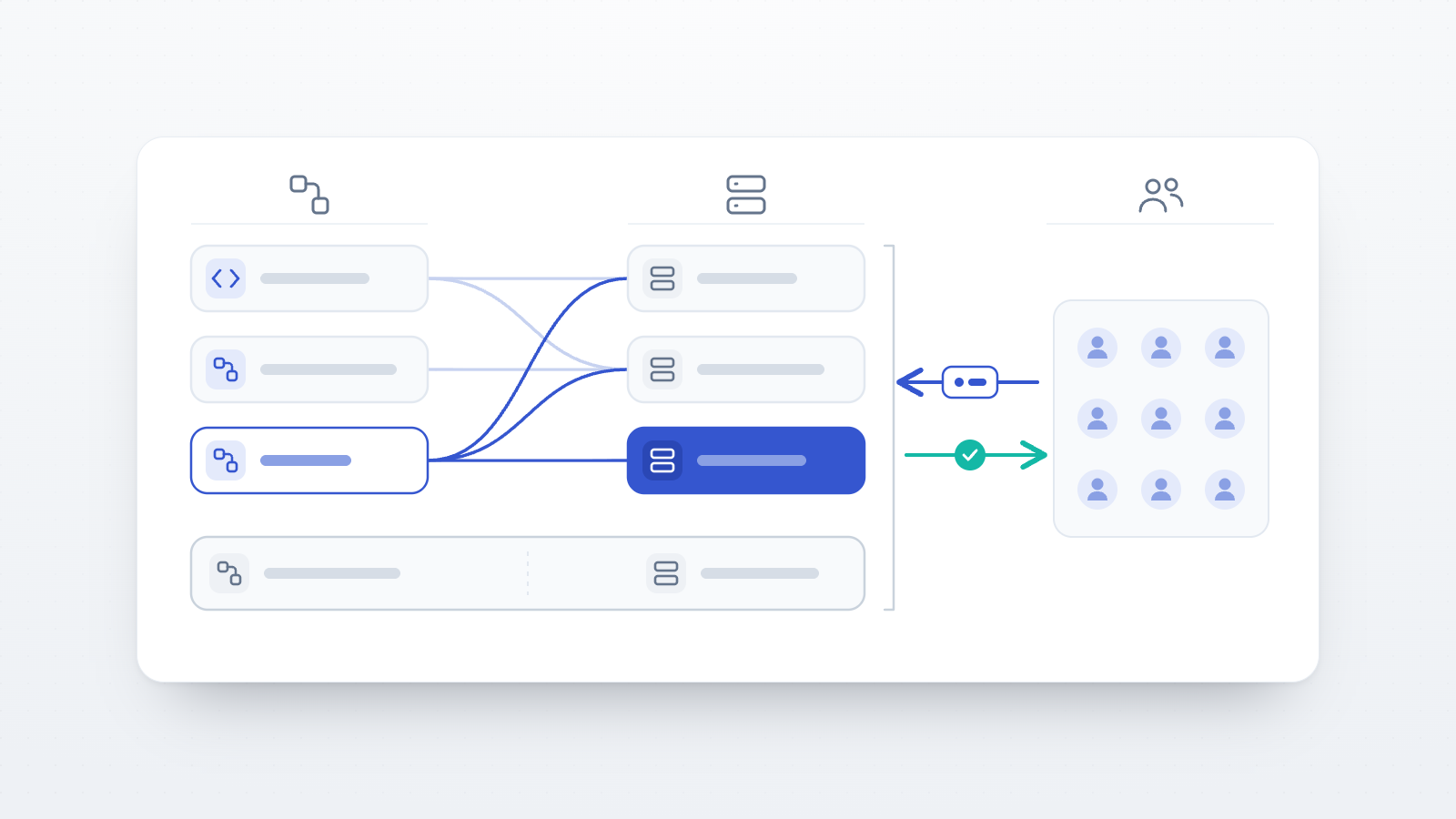
Box / kiosk mode lets you run a study on a single shared device — a lab computer or tablet — where many people take part one after another. When it is on, every session is treated as a fresh, anonymous participant automatically: there is no need to clear browsing data or sign anyone out between people, and participant accounts are ignored. You enable it from the Study Builder, in the participant-management panel ("Participation rules and completion code settings"), by switching on the Box / kiosk mode toggle; while it is active a "Box mode on" badge appears on the panel. (All of this is documented in the Open Lab participant-management and study-builder docs.)
Two consequences follow from the design:
- Single-use participants. Because each run is a new participant, the Allow multiple participation setting is locked off — the builder notes it is "Not applicable in box mode — every session is already a new participant."
- Anonymous sessions. Sessions are always anonymous in box mode; participant accounts are not used.
At the end of each session, the participant sees a Start next participant button instead of the usual return-to-dashboard link, with the prompt "Hand the device to the next participant, then press to begin a fresh session." Pressing it clears the previous session and starts a clean one. The mode is built for in-person data collection at a single station; for remote studies where each participant uses their own device, you leave it off and use the standard participation rules.
That is the whole feature. Everything below is about how to use it well.
Where kiosk mode sits in the methods literature
The starting point is reassuring: for a wide range of cognitive and perceptual paradigms, browser-based testing recovers the same effects as lab software. Germine and colleagues showed that even self-selected, uncompensated, anonymous, unsupervised web participants produced data comparable to lab samples across several cognitive and perceptual tasks — including ones with a substantial reaction-time component — with web and lab performance closely matched (Germine et al., 2012). So the browser itself is not the problem, and running in a browser at a kiosk inherits that good news.
The interesting question is what changes when you move along two independent axes: supervision (is someone there?) and anonymity / environment (who is the participant and where are they?). Kiosk mode occupies an unusual corner — supervised, in a controlled environment, but anonymous and walk-up. Each of those has an evidence base.
Supervision and attention: the axis where kiosk mode wins
The clearest empirical advantage of an in-person station is that someone is there. The comparison literature repeatedly finds that the costs of "online" are less about the browser and more about the unsupervised, self-chosen environment the browser usually runs in. Clifford and Jerit randomly assigned the same study to a supervised lab and to unsupervised online administration and found few differences in attention or socially desirable responding — but online participants reported substantially more environmental distraction and were far more likely to consult outside sources on knowledge questions (Clifford & Jerit, 2014). A supervised station removes both problems by construction: you control the room, and you can see whether someone is Googling the answer.
The effect on timed cognitive data is measurable. In a within-subjects comparison of web-versus-lab CANTAB testing, Backx and colleagues found distraction to be common during unsupervised web sessions: on each of the seven tests, roughly a third of their 51 participants reported being distracted or tabbed away from the task — versus none noted in the lab (Backx et al., 2020). Building a supervised remote-testing method to tackle exactly this, Leong and colleagues found that live experimenter supervision brought online cognitive data statistically in line with the lab, and concluded — in words that generalise to any staffed station — that "experimenter supervision, even if only as a virtual presence, may be crucial for maintaining participant focus and attention on cognitive tasks, particularly when an expedient response is required" (Leong et al., 2022). Consistent with this, work manipulating experimenter presence in online executive-function testing finds real — though task- and difficulty-dependent — effects of presence and instruction feedback on performance (Dumo, White, Jhajj, & Duchesne, 2025).
Implication for kiosk mode: a staffed station is, on this axis, closer to the lab than to the open web. The presence of a person at the station is doing quiet, measurable work — protect it (see recommendations).
Anonymity: a genuine benefit, with limits
Kiosk sessions are anonymous by design. That is not merely a privacy convenience; anonymity changes what people are willing to report. Joinson found that anonymous respondents show lower social desirability and social anxiety and higher self-esteem than identifiable ones, and that removing anonymity increased socially desirable responding regardless of medium (Joinson, 1999); visual anonymity likewise raises self-disclosure (Joinson, 2001). For sensitive self-report — attitudes, health behaviours, morally loaded judgments — an anonymous walk-up station can plausibly reduce the pull toward the "acceptable" answer that a face-to-face interview would create.
Two caveats. First, the driver is anonymity and self-administration, not the screen itself: a meta-analysis found social-desirability bias is essentially the same across offline, online, and paper modes (Dodou & de Winter, 2014). So the benefit comes from how you run the station (private, self-administered, clearly anonymous), not from the mere fact that it is a tablet. Second, a supervised station is only felt as anonymous if it looks that way — a researcher reading over a shoulder erases the effect. Privacy at the station is what converts kiosk anonymity into cleaner self-report.
Session independence and carryover: manage it, but the evidence is thin
A concern specific to shared-device collection is whether sequential sessions are truly independent — could one participant's run bias the next (residual state on screen, an overheard debrief, social contagion in a queue)? There is no direct empirical estimate of participant-to-participant carryover at a shared kiosk in the published literature. The available evidence is adjacent — order and context effects are well documented within sessions — alongside the practical point that a hard session reset removes the most obvious mechanical carryover (leftover responses, an un-cleared final screen). Open Lab's Start next participant button is exactly this hard reset — it clears the prior session before the next begins. Treat the social side of carryover (queues, overheard debriefs) as a design/staffing problem to control, and mark any claim that "sessions are independent" as an assumption you have engineered for, not a measured fact.
Sampling and self-selection at in-person events
A kiosk at an event yields a convenience sample with self-selection: only people who are at that venue, and who choose to walk up, take part. This is the same external-validity limit that applies to most online convenience samples — the sample may not be representative of the broader population, because participants self-select on interest (Khazaal et al., 2014). It is not a flaw unique to kiosks, and for many experimental questions (where the logic is within-subject random assignment, not population estimation) it is acceptable — but it constrains what you can claim about prevalence or generalisation. Recording where and when each station ran lets you describe the sample honestly and check for site effects.
Device and environment standardization: the quiet advantage — and its ceiling
Standardization is where a fixed station beats the open web outright. Online timing varies enormously across the uncontrolled device fleet: measured display and response timing can differ by tens to hundreds of milliseconds depending on the browser/OS/hardware combination (Anwyl-Irvine et al., 2020), and the timing mega-study found lab setups more precise than web ones — though the best browser-based tools kept lag surprisingly low (Bridges et al., 2020). Web reaction times also tend to carry a small, fairly constant offset relative to the lab rather than random noise (Hilbig, 2015). The kiosk's advantage is that one device means one timing profile: whatever the offset is, it is the same for every participant, so within-study comparisons are clean. That is a real methodological gift — provided you don't silently swap the device, browser, or update the OS mid-study.
Touchscreen stations deserve a note: in a large study running cognitive tasks on tablets with groups of children working independently, touchscreen-tablet cognitive testing was reliable and valid, and that same work offers practical fixes for a noisy venue — participants wore large over-ear headphones to cut external noise, and the tablets were fitted with privacy filters (thin films placed over a screen that narrow its viewing angle, so only the person directly in front can read the display) to stop neighbouring screens from distracting one another (Bignardi, Dalmaijer, Anwyl-Irvine, & Astle, 2020).
Consent and ethics in a walk-up setting
Walk-up recruitment does not lower the consent bar. The established standards for internet-based experimenting — informed consent, a clear right to withdraw, pre-testing, and transparent reporting — all apply at a kiosk, where the added risks are crowding, bystanders reading a participant's screen over their shoulder, and rushed reading of consent at a busy stand. Build consent into the flow (Open Lab's Study Builder has an Informed Consent component, required by default), give people room to read it, and make withdrawal frictionless. Kiosk sessions are anonymous, and Open Lab offers end-to-end encryption with EU (Germany) hosting — but encryption is a per-study setting, not automatic, so switch it on for the study if the data is at all sensitive. Anonymity is likewise a claim you must keep true: don't collect a name in a free-text field that re-identifies an otherwise anonymous session.
Throughput, fatigue, and hygiene
These are operational, not experimental, but they shape data quality. Public-stand sessions should be short (walk-up attention is finite), the station should be reset and wiped between participants for hygiene, and a single staffer running a long shift should watch for their own drift in how they greet and instruct people — a subtle experimenter-consistency risk. These are practical guidance, not empirical findings; the methods literature is largely silent on them.
Recommendations for running a good kiosk-mode study
The recommendations below separate what the research directly supports from what is sound operational practice, and note where Open Lab helps.
- Keep the station staffed, and treat that presence as a data-quality tool, not just hospitality. Supervision is the best-evidenced lever at a kiosk: it cuts distraction and brings online cognitive data back in line with the lab (Backx et al., 2020; Leong et al., 2022; Clifford & Jerit, 2014).
- Standardise the hardware and freeze it for the whole study. One device, one browser, no mid-study OS updates, so the unavoidable timing offset stays constant across participants (Anwyl-Irvine et al., 2020; Bridges et al., 2020; Hilbig, 2015).
- Engineer a clean reset between participants. Open Lab's Start next participant button makes each run a fresh, anonymous session with the prior state cleared — removing mechanical carryover without manual sign-outs or cache-clearing.
- Protect felt anonymity and privacy at the station — a privacy filter, headphones, a little physical distance — to realise the disclosure benefit of anonymous sessions and reduce distraction (Joinson, 1999, 2001; Bignardi et al., 2020). The benefit comes from self-administered anonymity, not the screen itself (Dodou & de Winter, 2014).
- Don't over-claim your sample. A kiosk yields a self-selected convenience sample, so lean on within-subject random assignment for causal claims and be explicit about the limits on generalisation (Khazaal et al., 2014). Logging site and date lets you check for station effects.
- Use session signals as a backstop. Even with someone present, a few sessions will be rushed or half-hearted; Open Lab's per-participant quality signals — built from paradata, the behavioural byproducts of a session such as response timing and interaction traces — help you spot and, if warranted, exclude them afterward. A backstop, not a substitute for good supervision.
- Build consent into the flow and keep sessions short. Use the required Informed Consent component, give people time to read, keep withdrawal easy, and cap session length for finite walk-up attention.
- Pilot the station in situ before the real run. Pre-testing matters doubly at a noisy venue — Open Lab's Preview lets you rehearse the full flow, including the reset.
- Treat participant-to-participant carryover as an engineered assumption, not a measured fact. The hard reset handles the mechanical side; manage queues and overheard debriefs by design. The direct evidence here is thin, which is worth stating plainly.
The bottom line
Kiosk mode is not a compromise between lab and web — it is a distinct setting with its own profile: it keeps the lab's supervision and device standardization (both well-evidenced advantages), adds the anonymity benefit for sensitive self-report, and inherits the convenience-sample limit of any walk-up recruitment. The browser is not the weak point; the environment is, and at a staffed single station you control the environment. Open Lab's Box / kiosk mode gives you the mechanical piece — automatic anonymous sessions and a one-press reset between participants — so you can spend your attention on the parts the evidence says actually matter: keeping the station staffed, standardised, private, and honestly described.