Most studies are run by more than one person. A statistician joins to analyse the data but should not be able to change the design halfway through collection. A research assistant needs to chase enrolment but has no reason to see the response data. A co-author wants to watch the sample grow without being able to alter anything. Doing this by sharing one account's login is the arrangement these roles are meant to replace: it makes every action untraceable, and it gives everyone the ability to delete the study.
Open Lab handles this with five collaborator roles on a Project: Owner, Editor, Data Analyst, Participant Manager and Viewer. This post sets out what each one can actually do, where the limits are enforced, and the two things that role assignment does not cover.
Roles are attached to the Project, not to the study
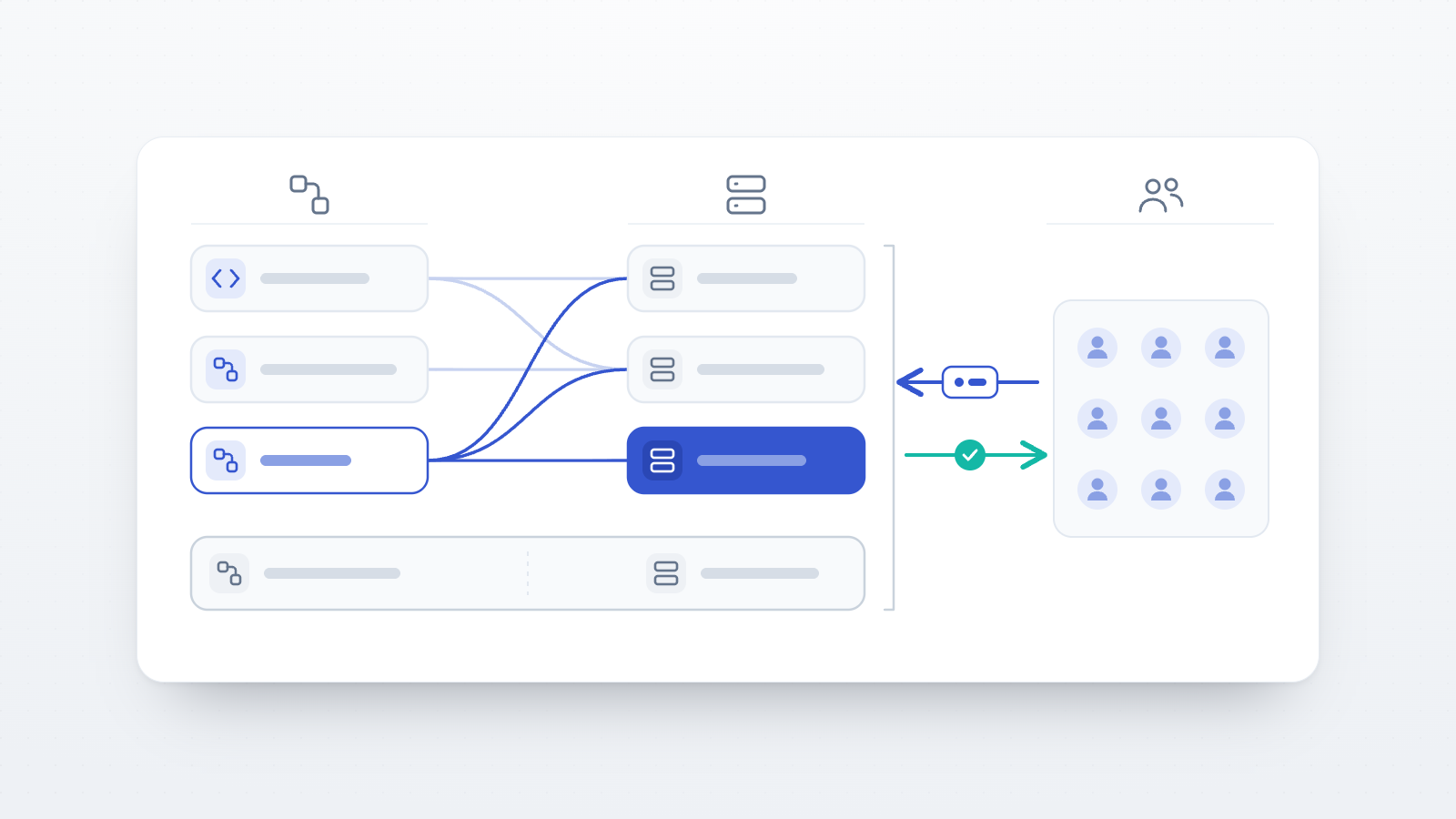
A Study belongs to at most one Project, and collaborator roles are held on the Project. Access to a study therefore flows through its project: someone who is a Data Analyst on Project A gets analyst access to every study in Project A and nothing at all in Project B.
The consequence worth checking first is that a study that is not attached to a project has no collaborators. It is visible only to the researcher who created it, and no role assignment anywhere will change that, because there is no project through which the assignment could apply. If a collaborator reports that a study you both work on is not in their list, the project link on the study is the first thing to look at, before the role.
Access is also project-scoped rather than account-wide. Adding someone as an Editor on one project gives them nothing on your other projects, and removing them removes it again.
The person who created a study is not one of the five roles
Alongside the collaborator roles there are two authorship positions that behave differently:
- The study's author — the account that created the study — always has full access to it, including editing and deleting, regardless of any project role.
- The project's author — the account that created the project — always has full access to the project, including deleting it.
The Owner role is a collaborator role, separate from authorship. Granting someone Owner gives them the same study-level powers as the author, including deletion, but it does not transfer authorship, and one operation stays with the author alone (see the section on encryption below).
What each role can do
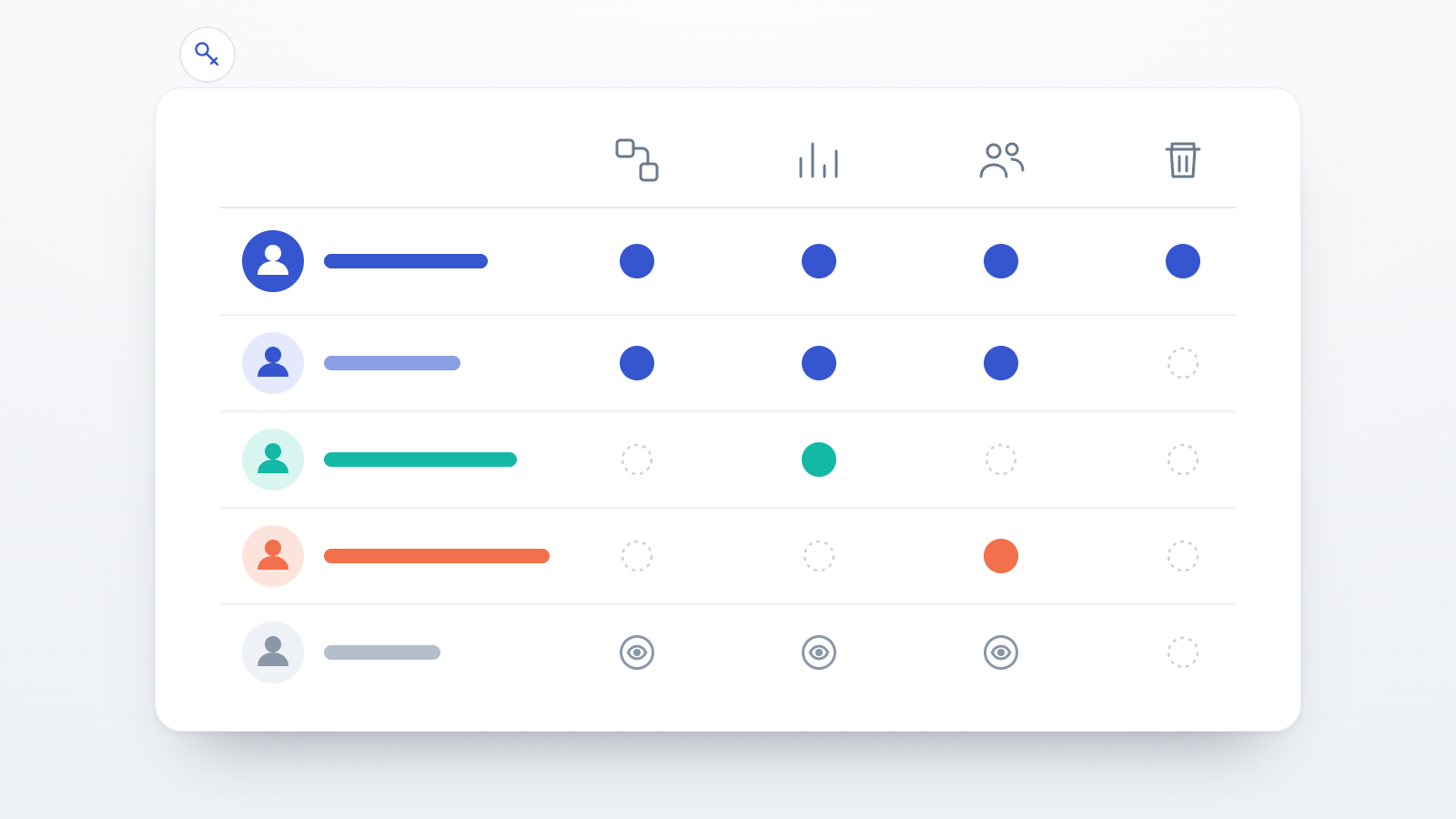
| Action | Owner | Editor | Data Analyst | Participant Manager | Viewer |
|---|---|---|---|---|---|
| See the project's studies | ✓ | ✓ | ✓ | ✓ | ✓ |
| Create and edit studies | ✓ | ✓ | — | — | — |
| Change study status (Draft → Active → Completed) | ✓ | ✓ | — | — | — |
| Custom study branding | ✓ | ✓ | — | — | — |
| Delete a study | ✓ | — | — | — | — |
| Delete the project | ✓ | — | — | — | — |
| Open the Data view and the Data Explorer | ✓ | ✓ | ✓ | — | ✓ |
| Download and export data | ✓ | ✓ | ✓ | — | ✓ |
| Include or exclude sessions from analysis | ✓ | ✓ | ✓ | — | — |
| Delete session data | ✓ | ✓ | ✓ | — | — |
| Data-quality signals (verified / suspicious / AI) | ✓ | ✓ | ✓ | — | — |
| Open the participant list | ✓ | ✓ | — | ✓ | ✓ |
| Manage enrolment (status, group and participant codes) | ✓ | ✓ | — | ✓ | — |
| Open the invitations area | ✓ | ✓ | — | ✓ | ✓ |
| Create and manage invitations | ✓ | ✓ | — | ✓ | — |
| Participant messages | ✓ | ✓ | — | ✓ | ✓ |
| Invite and remove collaborators | ✓ | ✓ | — | — | — |
Read in prose:
Owner is full control of the project and everything in it, and it is the only role that can permanently delete a study or the project itself.
Editor is the working collaborator: they build and change studies, move a study from Draft to Active, manage participants and invitations, see and export the data, and can invite further collaborators. What they cannot do is delete a study or delete the project. That single exclusion is the practical difference between Editor and Owner, and it is a reasonable default for a co-PI or a postdoc who needs to work on the design without being able to remove a term's worth of collection.
Data Analyst is data-only. They get the Data view, the Data Explorer, the export formats, the data-quality signals, and the ability to mark sessions as included or excluded from analysis and to delete session rows. They cannot edit any study setting, cannot change the study's status, and are kept out of the participant and invitation areas entirely — opening either sends them back to the study dashboard. This is the role for a statistician or a collaborator brought in for the analysis.
Participant Manager is the mirror image: recruitment and enrolment only. They manage the participant list, participant and group codes, enrolment status, invitations and participant messages, and they have no access to the response data at all — not the Data view, not exports, not the Data Explorer. This is the role for a research assistant or coordinator running recruitment, particularly where the data are sensitive and there is no reason for a recruiter to hold them.
Viewer is read-only, and it is worth being precise about what "read-only" means here, because it is not the same as "cannot get the data out". A Viewer can open the Data view, the Data Explorer and the download and export controls; what they cannot do is change anything, including marking sessions as excluded from analysis or deleting them. They also do not get the data-quality signals. Viewer is the right role for a co-author or supervisor who should be able to follow and check the study without being able to alter it — but it is not a role that withholds the dataset. If someone should be able to see progress without obtaining the responses, Participant Manager, not Viewer, is the role that does that.
Where the boundaries are enforced
Two of these limits are worth calling out because they are not simply hidden buttons.
Study editing and deletion are enforced by access filters on the API itself. Editing a study is restricted to the study's author, an Owner or an Editor; deleting one is restricted to the author or an Owner. Data Analyst and Participant Manager are denied both. Because the check sits on the operation rather than on the interface, it applies to any request that reaches the API, including one made outside the researcher dashboard.
The Participant Manager's exclusion from the data works the same way. The role is left out of the filter that decides which datasets a signed-in researcher may read, so those rows are not returned to them at all. The Data view's interface block is the visible half of a restriction that is applied before any data is sent.
Where the enforcement is only in the interface, it is worth knowing which side you are on. The Viewer's inability to edit participants, invitations and dataset flags is applied in the dashboard. For the workflow these roles are designed for — colleagues with different jobs on a shared project — that is the right level. It is not a control to lean on where a collaborator is untrusted; there, the answer is not to add them.
Encryption is a separate grant, and it stays with the study's author
This is the part most often missed when a new collaborator says the data look like nonsense.
If a study uses account-key (vault) encryption, a project role decides who may retrieve the stored rows. It does not decide who can read them. The rows are ciphertext, and decrypting them requires the study key, wrapped to that person's own account key. Two things have to be true before a collaborator sees plaintext:
- The collaborator has set up their own encryption vault. Until they have an account key, there is nothing to wrap the study key to, and the platform will say so.
- The study's author has issued them a key grant. This happens in the study's data-access settings. Grants are issued automatically to collaborators who already have a vault the next time the author opens that screen with their own vault unlocked, and can also be shared or revoked per person.
Note the actor in step 2: the study's author, specifically. Even a collaborator holding the Owner role cannot issue study-key grants for a study they did not create. On a project where several people create studies, each author manages data access for their own.
Removing someone from the project also deletes their key grants for every study in it, so revoking access does not leave wrapped key material behind, and re-adding them later does not silently restore what they could previously decrypt.
On a study using per-study key-pair encryption, decryption depends on the .pem private key file
rather than on grants, so sharing that file is what governs who can read the data. On a study left on
server-side encryption, no grant step is involved and role assignment is the whole story. Whichever
option a study uses, the encryption tab is worth opening and confirming before adding people, because
it changes what "gave them access" means.
Who can add collaborators, and how many
Invitations go by email from the project's team area, with the role chosen at the point of invitation. The project's author, an Owner and an Editor can invite and remove collaborators; Data Analyst, Participant Manager and Viewer cannot. An invitation link is valid for 24 hours. Invited people who do not yet have an Open Lab account get a sign-up link that attaches them to the project on registration; existing users get an accept link.
How many collaborators a project can hold depends on the project author's subscription, not on each collaborator's:
| Plan | Collaborators per project | Roles available |
|---|---|---|
| Free | none — collaboration requires a paid plan | — |
| Basic | 1 | Viewer only |
| Pro | 3 | all five |
| Team / Enterprise | unlimited | all five |
Collaborators do not need a paid plan of their own to work inside someone else's project. The Basic tier's restriction is worth reading twice, though: it allows a single collaborator and only in the Viewer role, so a Basic project cannot bring in an analyst or a recruitment assistant. Pro is the first tier at which the role distinctions become usable, and Team is the first at which a project can hold a working group.
Choosing a role
- A statistician who will analyse the data but must not touch the design → Data Analyst. On an encrypted study, also issue them a key grant.
- A research assistant running recruitment and enrolment → Participant Manager. They get the participant list, invitations and messages, and none of the response data.
- A co-PI or postdoc who will build and edit studies → Editor. They can do everything an Owner can except delete a study or the project — and they can add further collaborators, which is worth knowing before you assign it.
- A co-author or supervisor who wants to follow the study → Viewer, provided you are comfortable with them being able to export the data. If not, Participant Manager gives visibility into recruitment without the dataset.
- A second lead who needs the same standing as you, including the ability to delete → Owner. It is the only role that can permanently remove a study, so it is worth restricting to people for whom that is deliberate.
Roles can be changed later from the project's team area, and a change takes effect immediately. If in doubt, the cheaper mistake is to start narrow: adding a permission takes a moment, and someone who spent a week with more access than intended cannot be un-given it.
Before you add someone
- Is the study attached to a project? If not, no role will reach it.
- Which project? Roles are per project. A collaborator on the wrong one sees nothing.
- Do they need the response data? If no, Participant Manager. If yes but they must not change the design, Data Analyst. If they need to see it but change nothing at all, Viewer.
- Should they be able to delete a study? Only Owner can. If the answer is no, Editor.
- Is the study encrypted with the account key? Then ask them to set up their vault, and issue the grant from the study's data-access settings — from the study author's account.
- Does the plan allow it? Free cannot add collaborators; Basic allows one Viewer.
- When the work ends, remove them. Removal revokes project access and deletes their key grants for the project's studies.
Roles are one of the parts of a study setup that is easy to leave at its default and awkward to revisit once data are coming in. Five minutes at the start of a project, spent deciding who needs the data and who needs the design, is usually enough.